
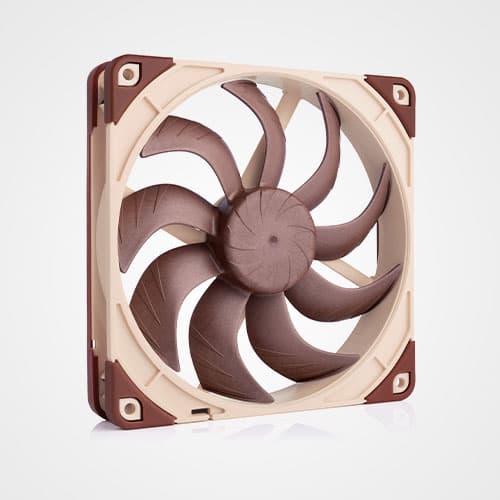
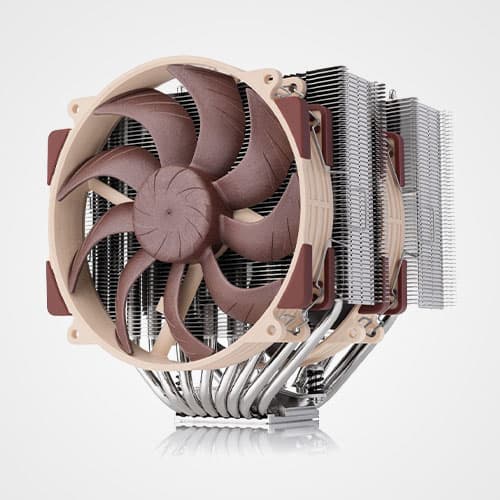

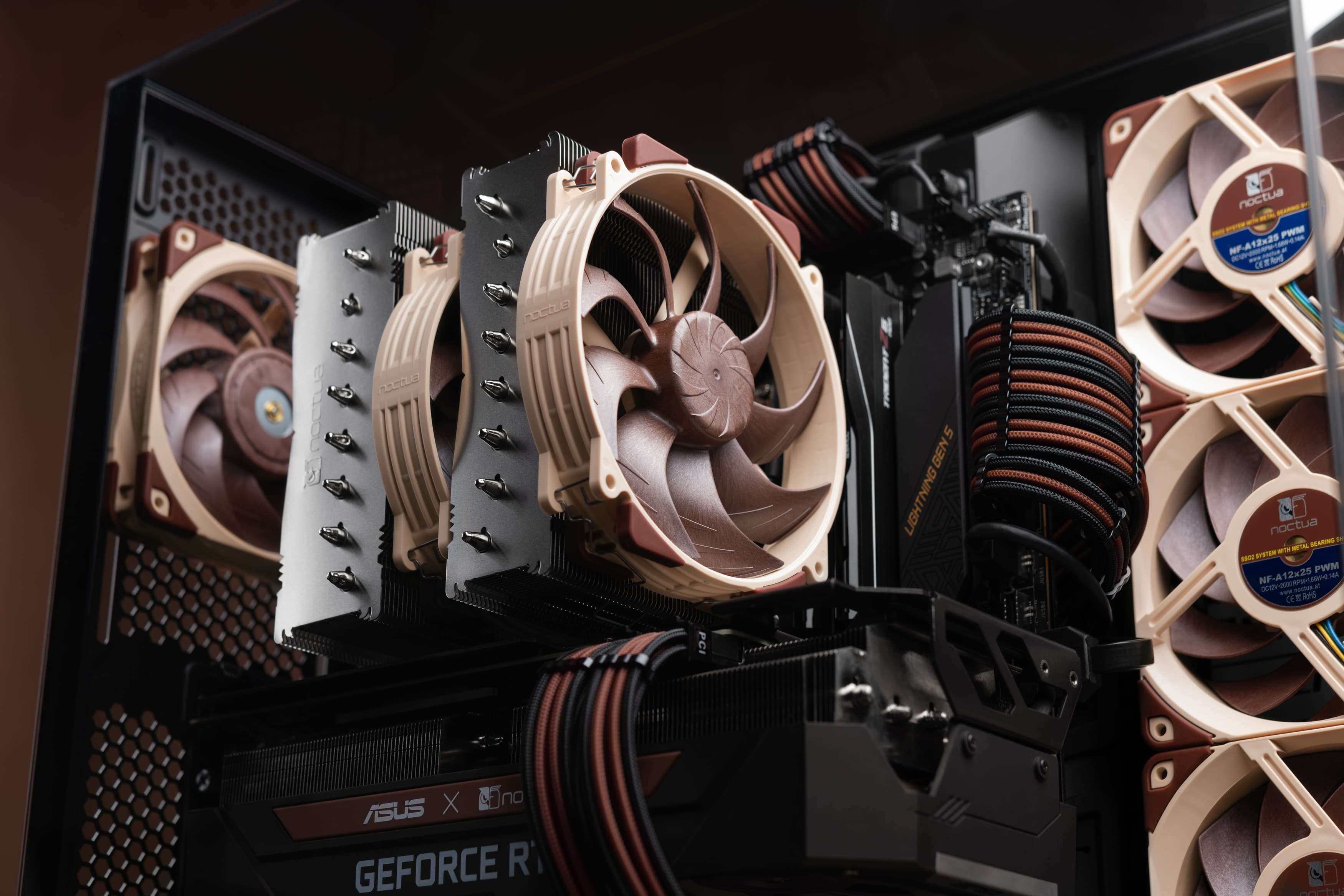


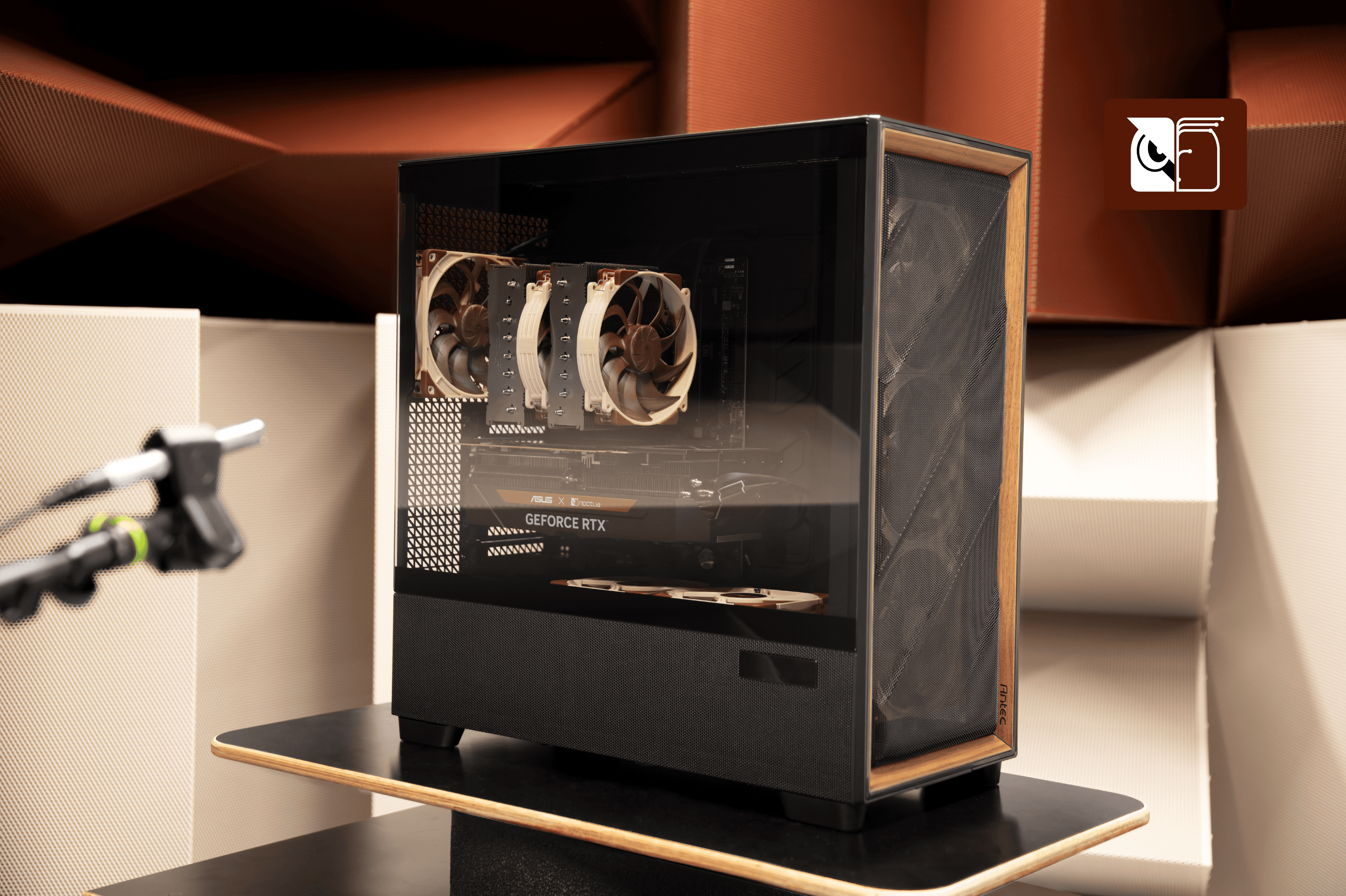
The Antec Flux Pro Noctua Edition includes six premium quality quiet fans consisting of four NF-A14x25 G2 and two NF-A12x25 G2 models. To ensure that the fans run as quiet as possible while maintaining sufficient airflow throughout the case, we recommend setting up custom fan curves. We have created three recommended example fan curves for the Antec Flux Pro Noctua Edition, which we have also tested to see how they impact component temperatures. While we expect these curves to work well across a wide range of system configurations, keep in mind that they have been established and validated using a particular setup, so you may want to tweak and adjust them to your liking.
The fan curves are also available as profiles that you can import through Fan Control, and you can download the file HERE.

When using Fan Control, to use the GPU temperature dependent fan speed control, the temperature sensor of your specific GPU needs to be manually added to the list of sources. The provided curve profiles are all configured in such a way that they will prioritise the hottest component (CPU or GPU temperature) to dictate the PWM duty cycle. All the Fan Control profiles also carry a 5°C / 5 second hysteresis difference that is required for the fan speed control to react. This avoids violent changes in the fan speed when component temperatures spike only for a few seconds.
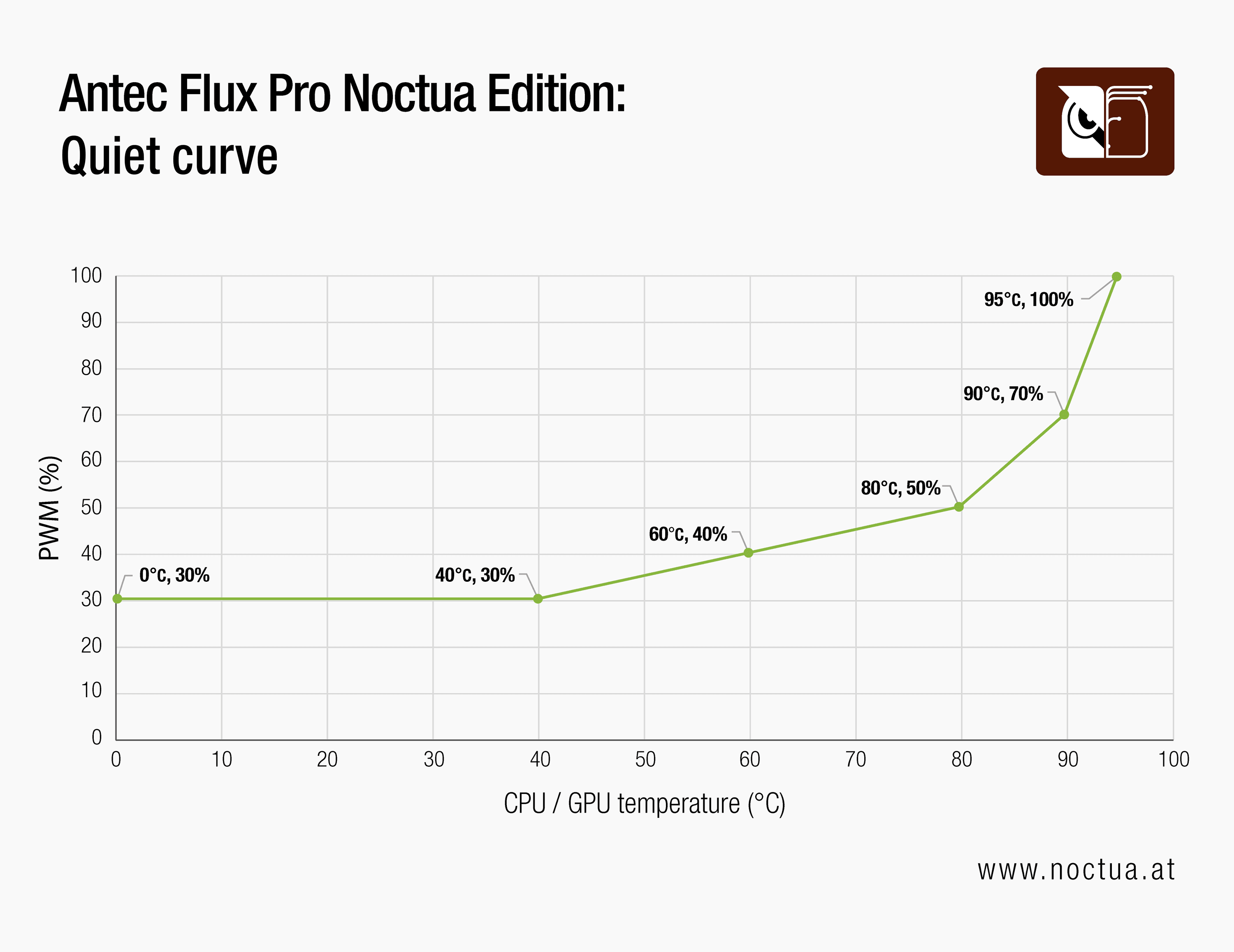
Quiet profile
The Quiet profile will try to keep the fan speed and therefore noise to the lower limit for as long as possible. This will be achieved by tolerating higher CPU temperatures before the fan speed is increased. This will happen when the CPU temperature sensor reads 80°C and the fans will speed up to a 50% PWM duty cycle and only at 90°C will they further ramp up to 70%.
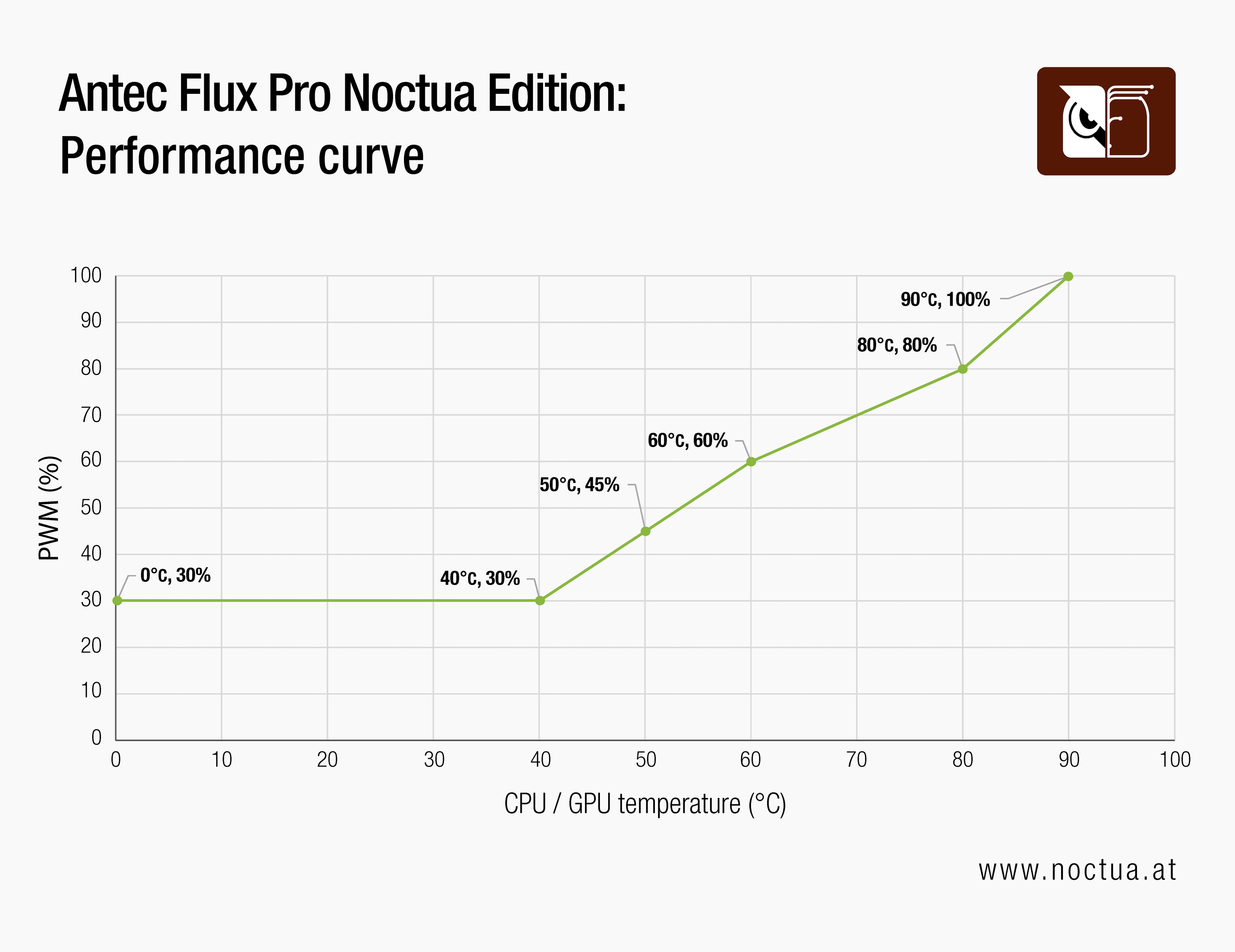
Performance profile
By contrast, the Performance fan curve reacts to CPU temperature spikes in a more aggressive way. The moment the CPU reaches 50°C, the fan speed is already bumped up to 45% PWM and this trend is followed throughout the rest of the curve. This prioritises faster fans and lower temperatures, therefore allowing the most thermal headroom for maximum available performance.
Balanced profile
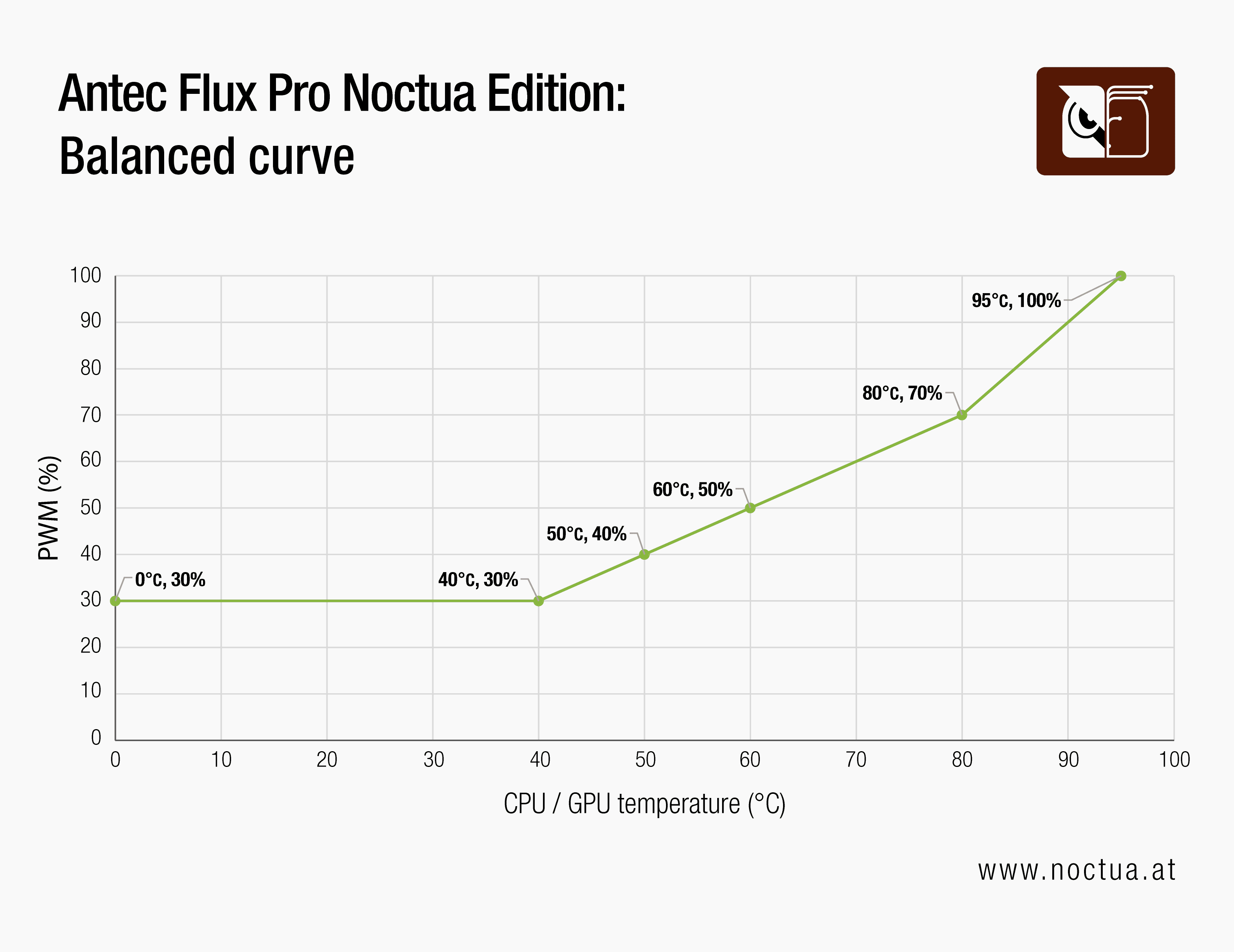
The Balanced fan curve profile is midway between the Quiet and Performance profiles. It maintains a straight line from 40°C to 80°C, meaning the CPU temperature and the PWM duty cycle are in a near-linear correlation. This provides a true golden middle for a quiet PC with good thermal headroom for optimal performance.
Testing Methodology and Results
We have also thoroughly tested these fan curves so that the user can better understand and match the results to their current hardware and have a clearer idea of what to expect.
Thermal performance testing was conducted in a controlled environment with a steady ambient temperature averaging 21.5°C. Stress testing was performed using OCCT with a combined CPU and GPU load for one hour per scenario, with each run including a 30-minute warm-up cycle. All three fan curves were tested in three different scenarios where the CPU was power-limited to 85, 125 and 180 watts. We used the same curve for both the case fans and the CPU cooler fans, while the GPU was left untouched at its default auto settings.
Test setup configuration:
CPU cooler: Noctua NH-D15 G2
CPU: Intel Core Ultra 9 285K
GPU: Gigabyte RTX 4090 Gaming OC
Motherboard: Asus ProArt Z890 Creator WIFI
RAM: Teamgroup DDR5 32GB 6400MHz CL 32
SSD: Samsung 980 Pro 1 TB
PSU: Seasonic Prime TX-1600 Noctua Edition
Results: 85W CPU power target
Results: 125W CPU power target
Results: 180W CPU power target
Conclusion
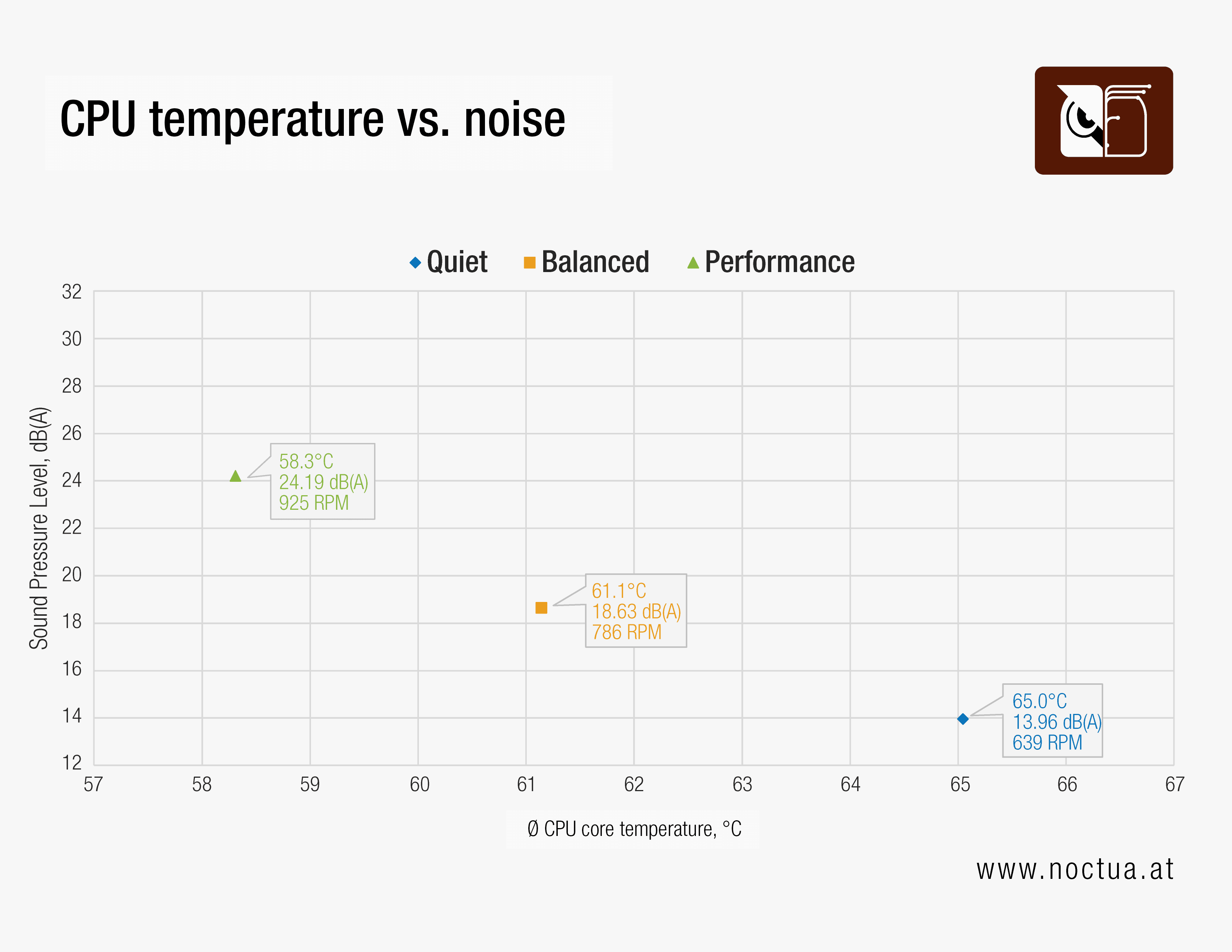
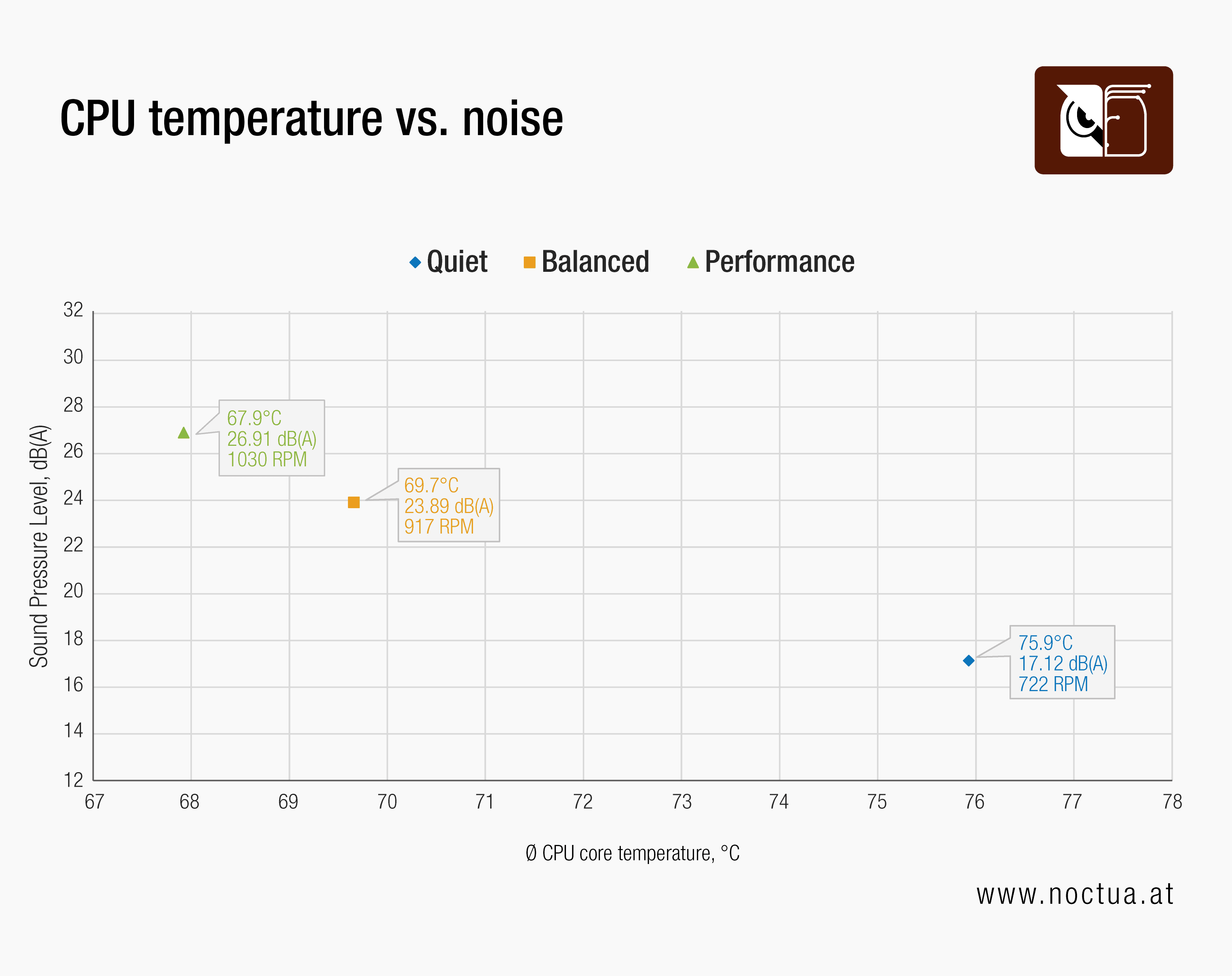
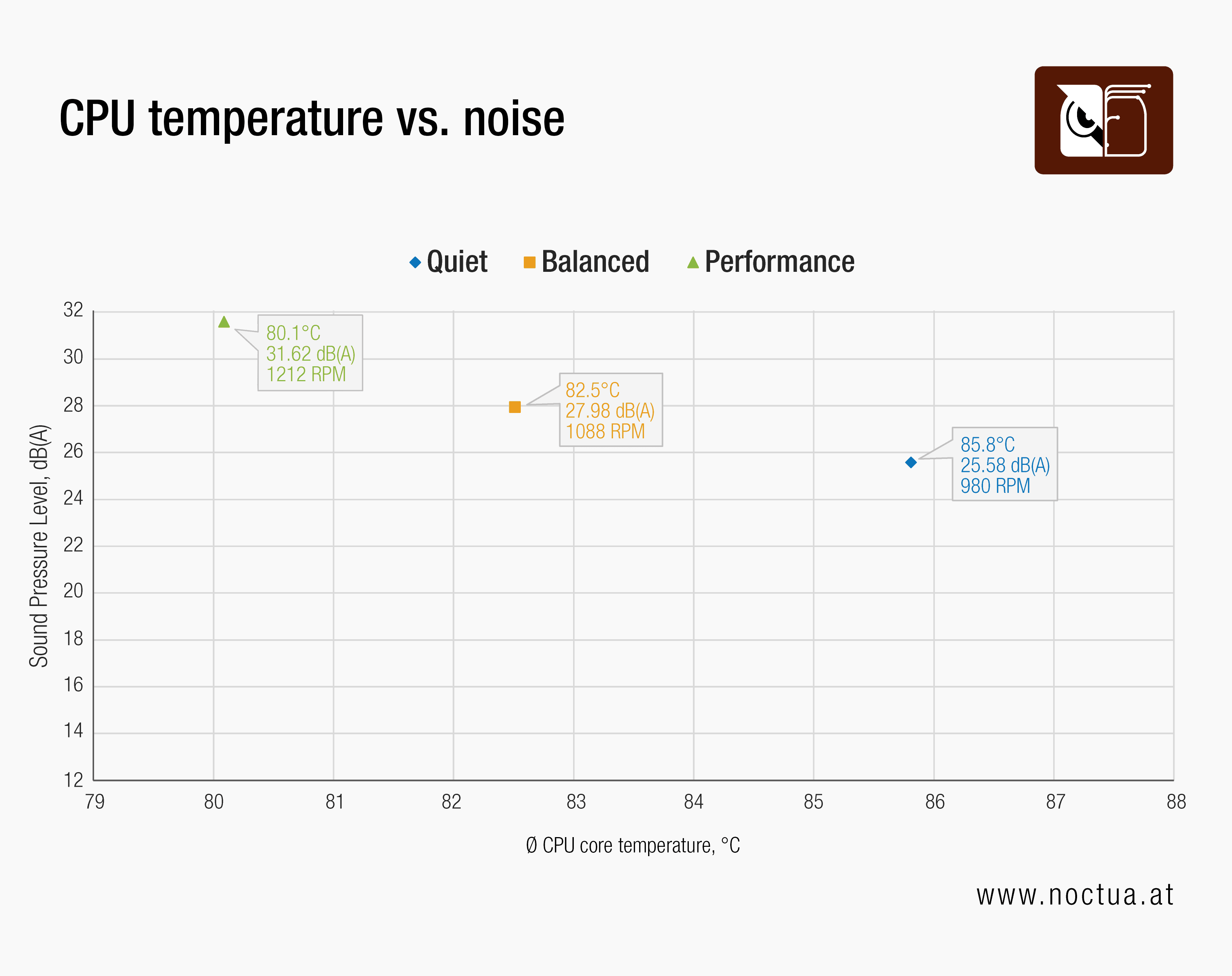
Looking at the test results across the different power limits allows us to clearly see how these profiles would behave in real-world scenarios. The included fan speed data shows that the Quiet profile consistently prioritises acoustics by keeping the RPM to an absolute minimum. This results in the lowest noise levels while tolerating slightly higher CPU temperatures. On the other hand, the Performance profile aggressively ramps up fan speeds to provide the lowest possible temperatures and maximum thermal headroom, which naturally results in slightly higher noise emissions. The Balanced profile truly acts as the golden middle, providing excellent cooling performance while still running very quiet.
相关文章
想了解更多关于这个话题的信息吗?请浏览相关文章和资源。
Air cooling or water cooling, which one to choose?
Both air coolers and all-in-one liquid coolers have their respective advantages and disadvantages. We have summed them up for you in this guide to help with your buying decision.
NL-LC1 series AIO coolers’ pump speed profiles explained
The NL-LC1 series’ pump comes with an integrated mode switch that makes it possible to choose between three settings (Quiet, Balanced and Manual).
How much cooler and quieter is the Noctua Edition of the Antec Flux Pro?
The Antec Flux Pro Noctua Edition equips the highly acclaimed chassis with our latest flagship G2 fans to give users significantly quieter operation or cooler temperatures.
How should I set up my NL-LC1 radiator fans (push, pull or push-pull)?
Whether you've just purchased or are about to purchase our NL-LC1 radiator, you're probably wondering how to position the fans in your build for the best results...