



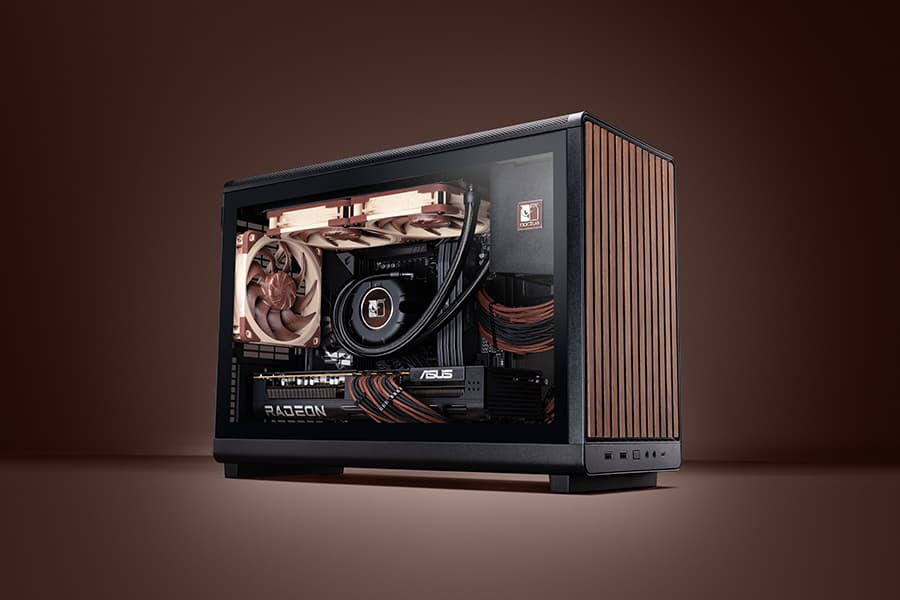
Many modern tower-style PC cases allow liquid coolers to be installed in more than one position (top, front or side of the case). Please refer to our case compatibility list to check which mounting positions your case supports with a particular cooler model.
Installing the radiator at the top of the case with the fans blowing upwards has the advantage that hot air is directly exhausted, so it will not affect other components such as the GPU. The downside is that warm air from the GPU will be taken in by the radiator fans, which can result in slightly higher CPU temperatures.
Conversely, installing the radiator at the front or at the side of the case with the fans blowing into the case has the advantage that the radiator fans can take in fresh air, which ensures the lowest possible CPU temperatures, but the warm air will go into the case, which can cause slightly higher temperatures on the GPU or other components.
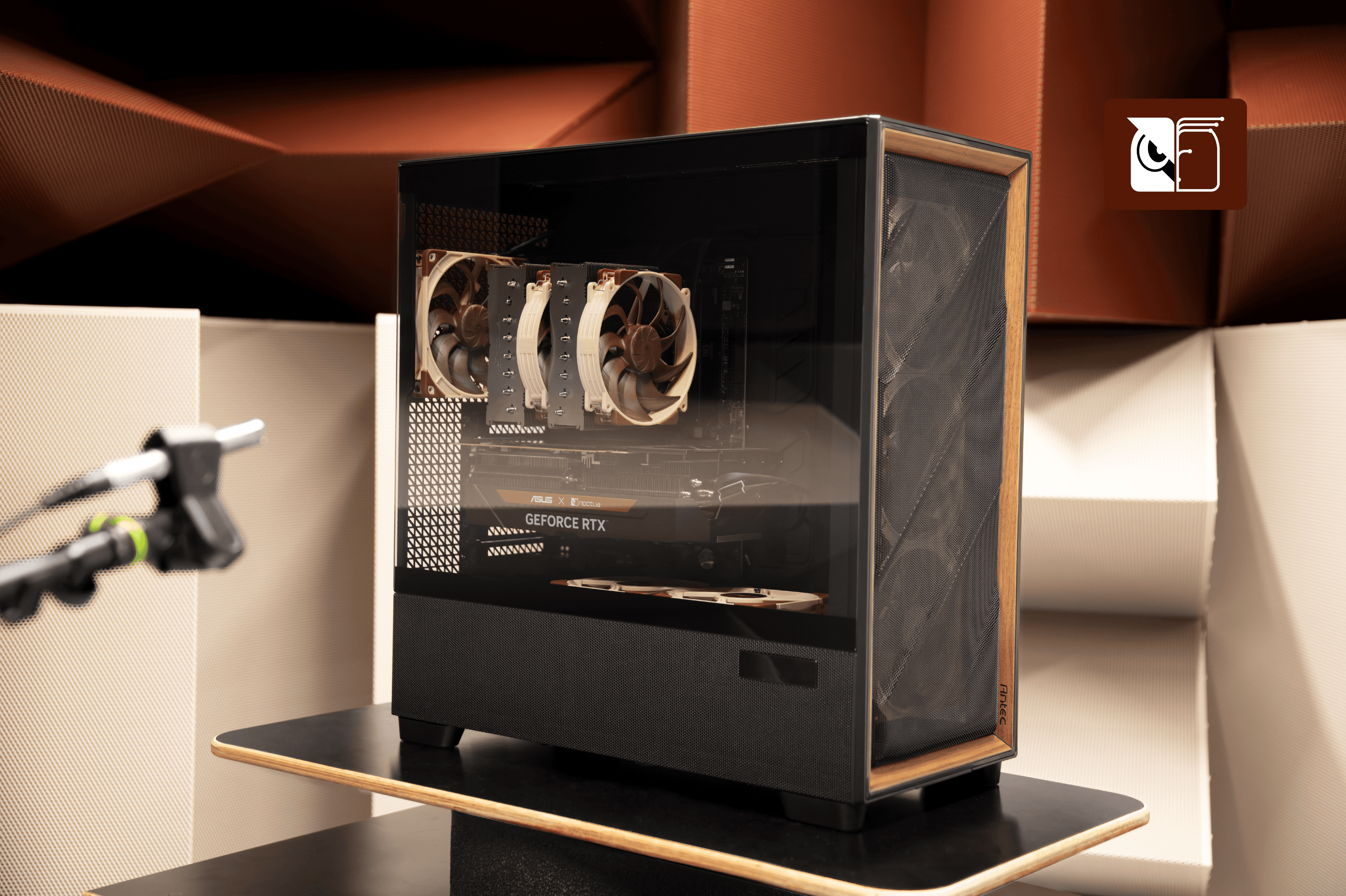
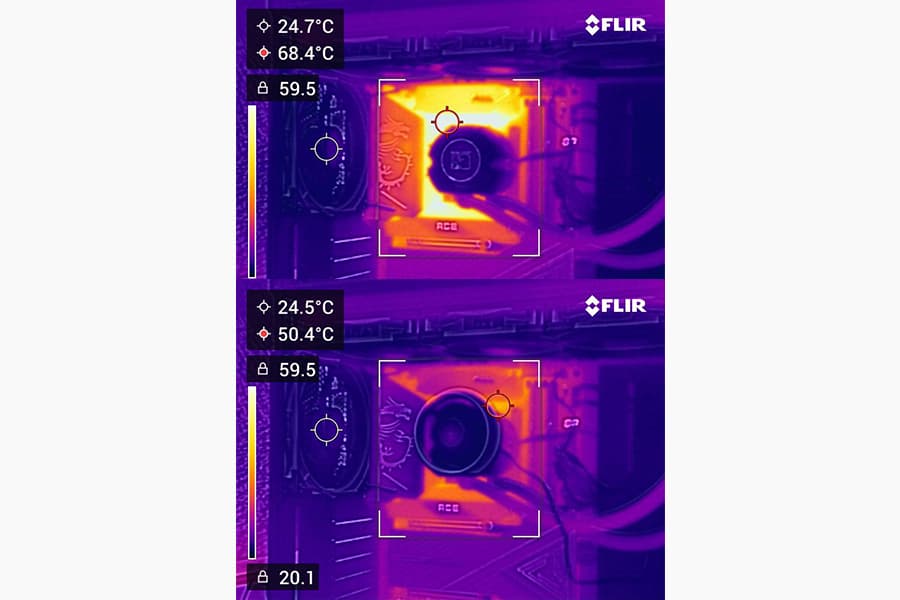
In our tests using the NL-LC1-36 cooler on an Intel Core Ultra 9 285K processor at 250W paired with an Asus GeForce RTX 5080 Noctua Edition at 360W, all installed in the Antec Flux Pro Noctua Edition chassis, the front-mount position provided around 3°C lower CPU temperatures whereas the top-mount resulted in a slight ~1°C improvement in GPU temperatures:
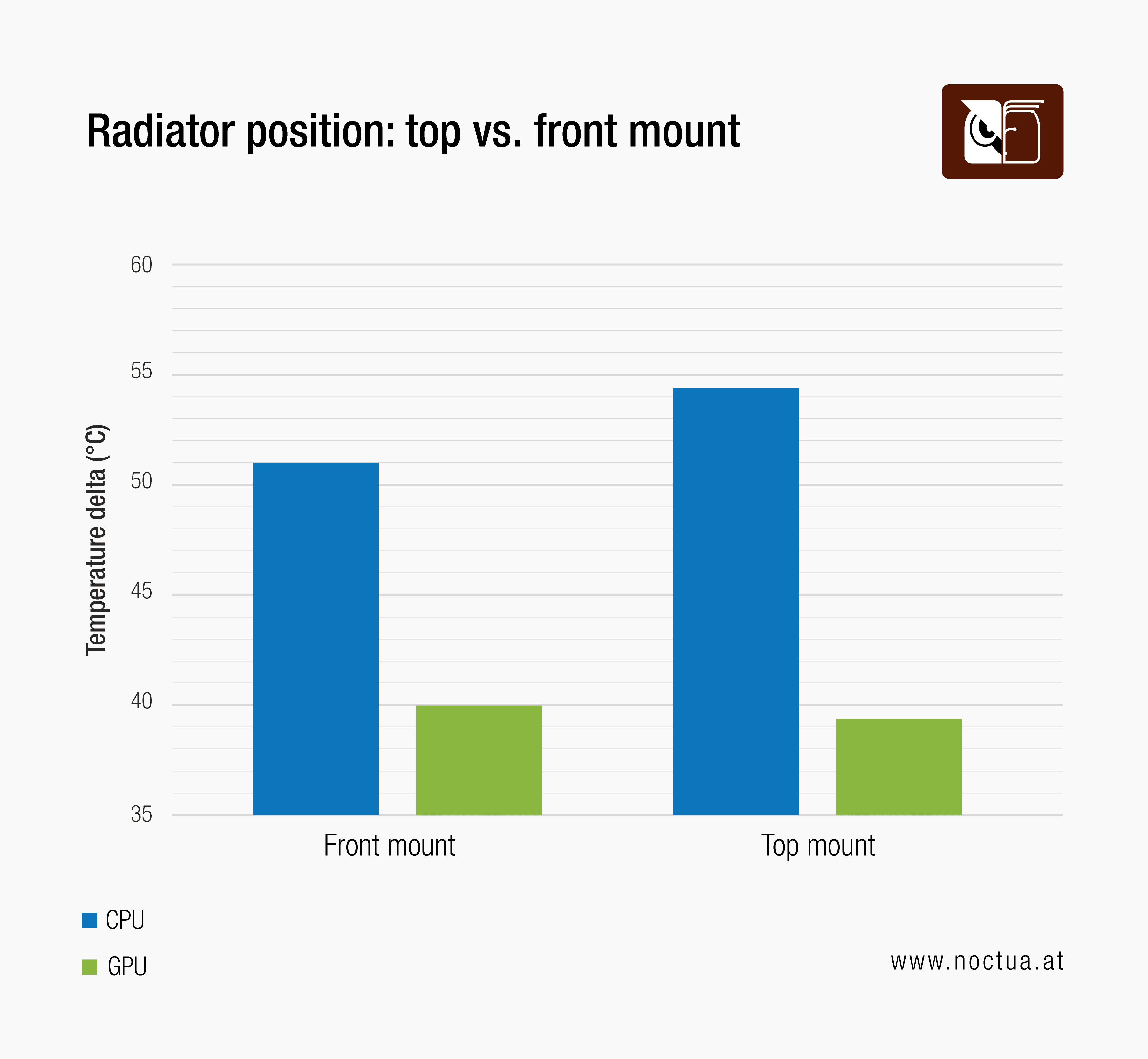
While the differences in GPU temperatures were small in our tests, it must be noted that the Antec Flux Pro Noctua Edition features two fans above the PSU shroud that help to provide extra fresh air to the GPU, so the differences can be bigger in setups without bottom fans. Therefore, we generally recommend choosing the front or side mounting position if you want to achieve the lowest possible CPU temperature or the top mounting if you prioritise GPU temperature.
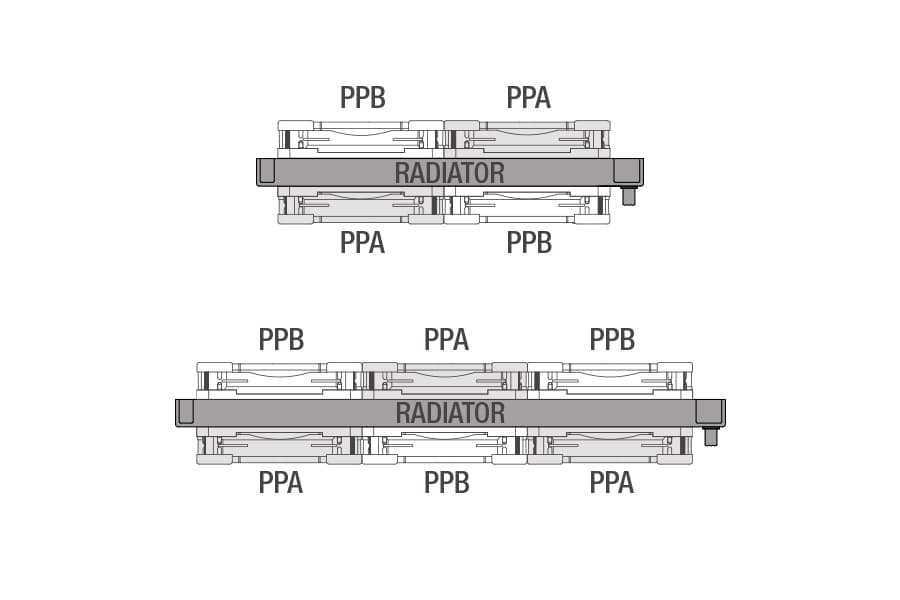
In either case, we recommend installing the fans pushing air through the radiator rather than pulling air through it for optimal performance-to-noise efficiency.
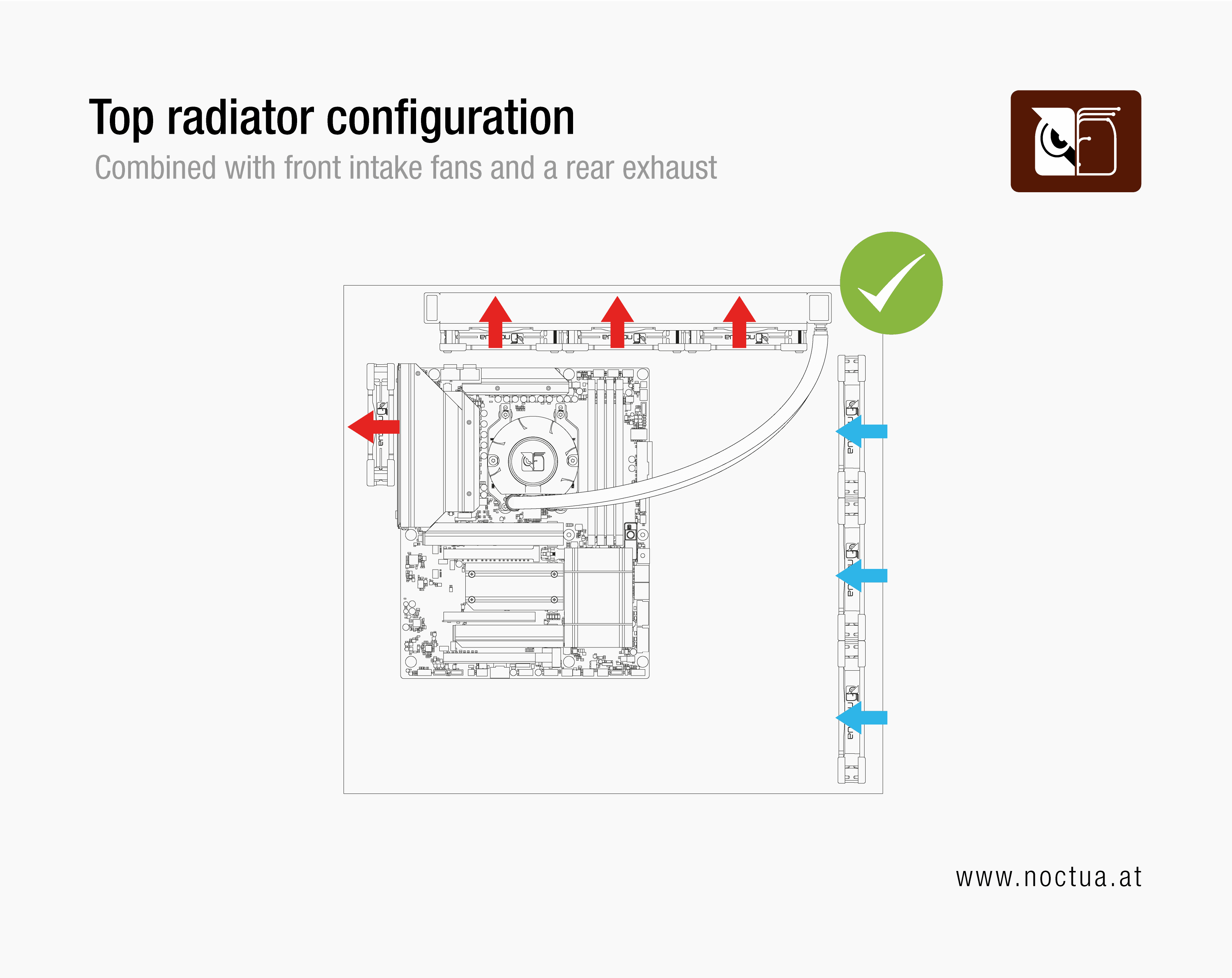
To ensure optimal airflow and component temperatures, a top radiator configuration should always be combined with front intake fans and a rear exhaust to ensure sufficient intake of fresh air. We recommend orienting the tube connectors of the radiator towards the front of the case so that they stay clear of the rear exhaust fan.
A front or side radiator configuration should be combined with exhaust case fans at the top (if possible) and rear side of the case to remove warm air. Additional bottom intake fans (if supported by the case) can also be helpful in this type of setup. The tube connectors of the radiator should be oriented towards the bottom of the case if possible, but they can also be oriented towards the top as long as the highest point of the radiator is higher than the pump.
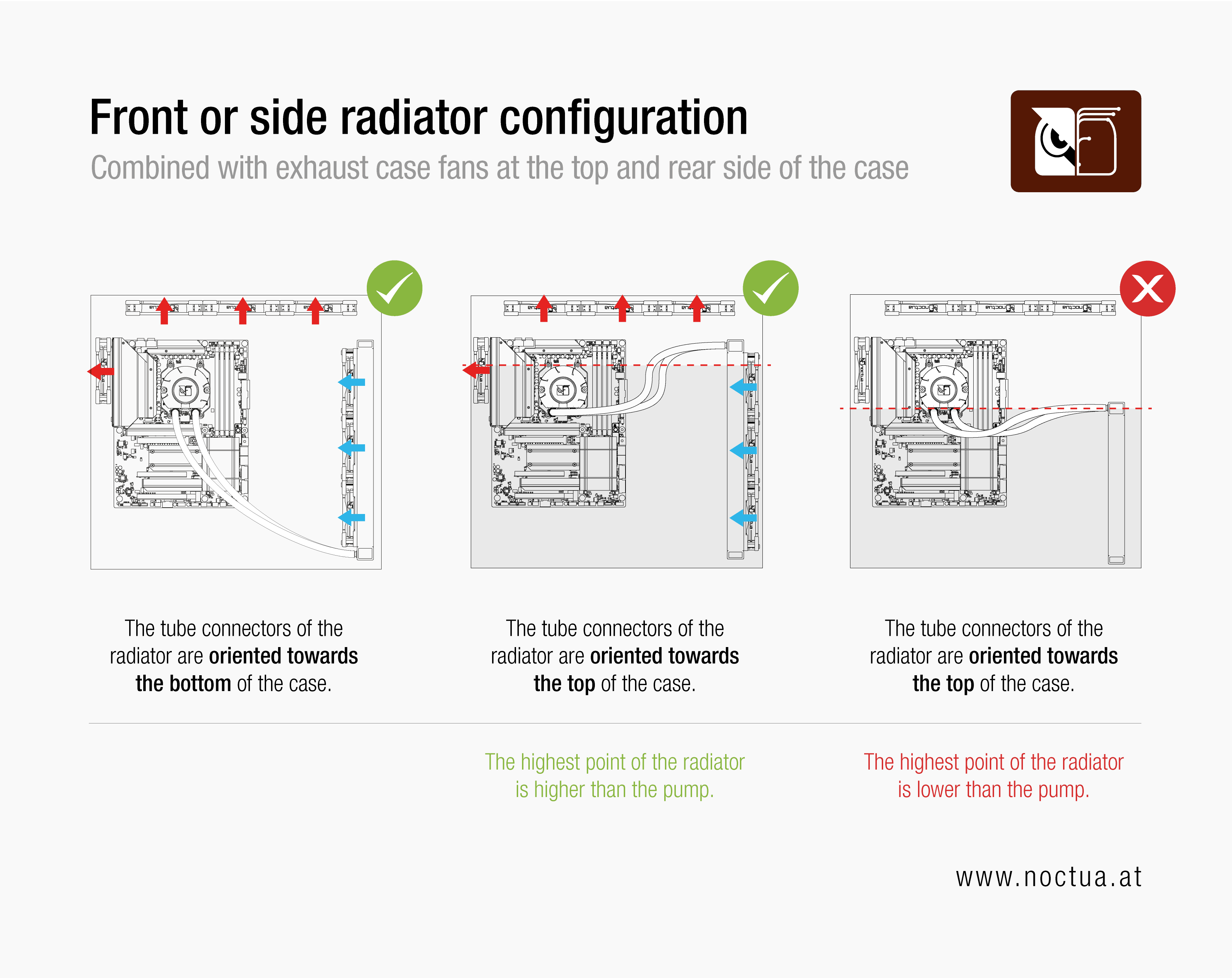
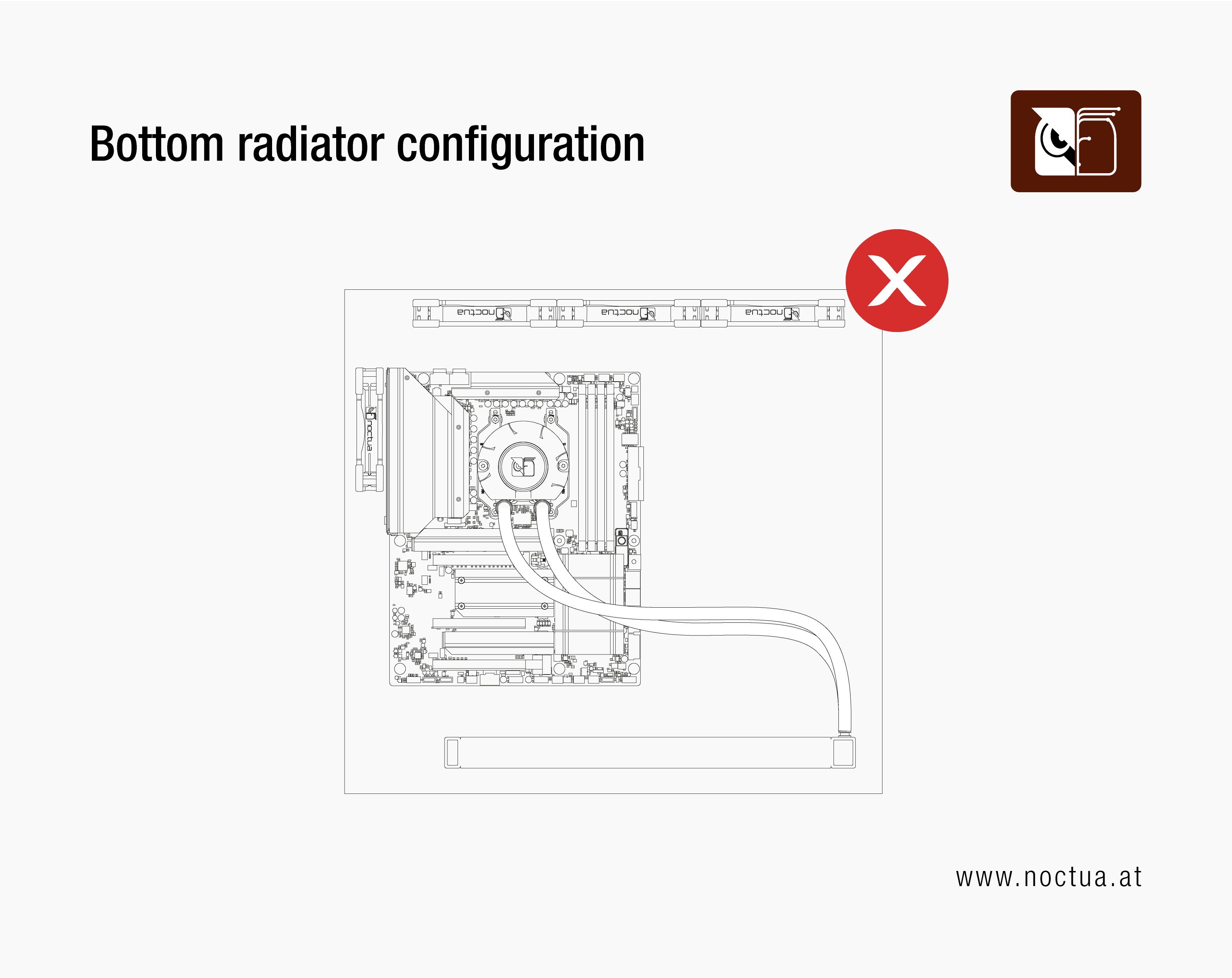
While mounting the radiator at the top, front or side of the case can all work well, please do not install the radiator at the bottom of the case, as it is crucial that the highest point of the radiator is above the pump. Otherwise, air might get trapped in the pump, which can lead to increased noise, lower performance and shorter lifespan of the cooler.
更多资源
想了解更多关于这个话题的信息吗?请浏览相关文章和资源。
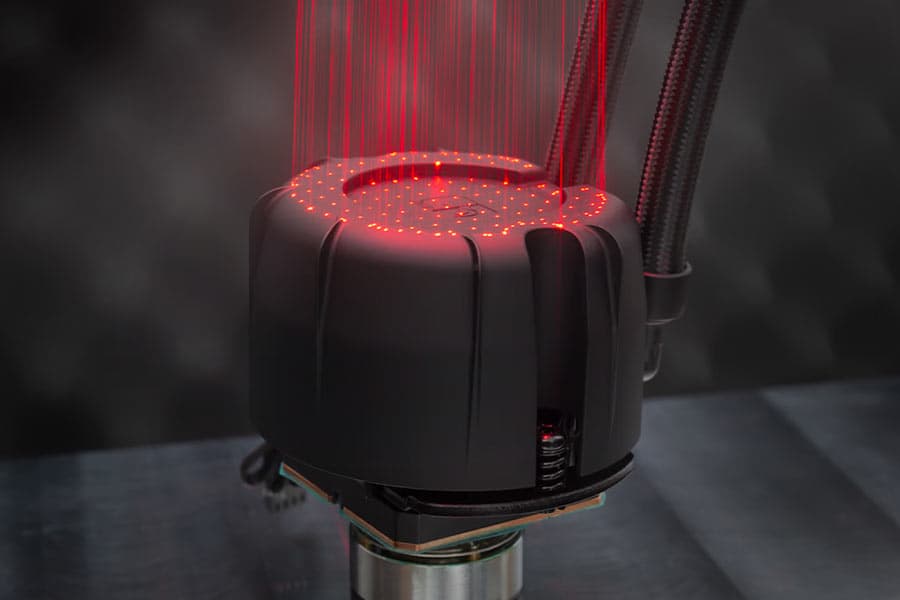
NL-PNA1 pump noise absorber: Tuned mass damper and acoustic soundproofing
The NL-LC1 series is the world’s first all-in-one liquid cooler to feature an integrated pump noise absorber that leverages acoustic soundproofing and the tuned-mass damper effect.
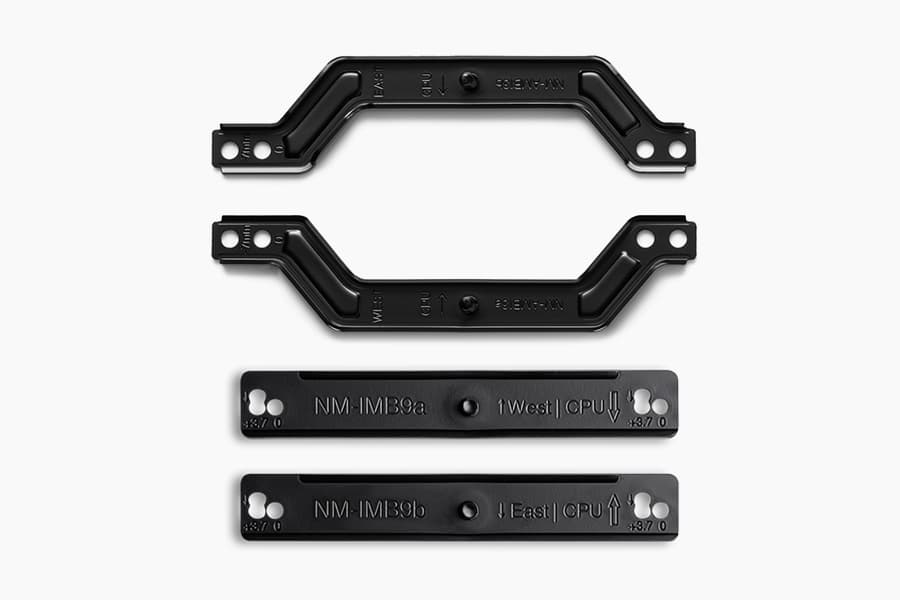
How our SecuFirm2+™ mounting system enables NL-LC1 coolers to achieve lower temperatures
Our SecuFirm2+™ mounting system ensures optimal force transfer and contact pressure, which can give the NL-LC1 a slight edge over other Emma V2 based coolers.
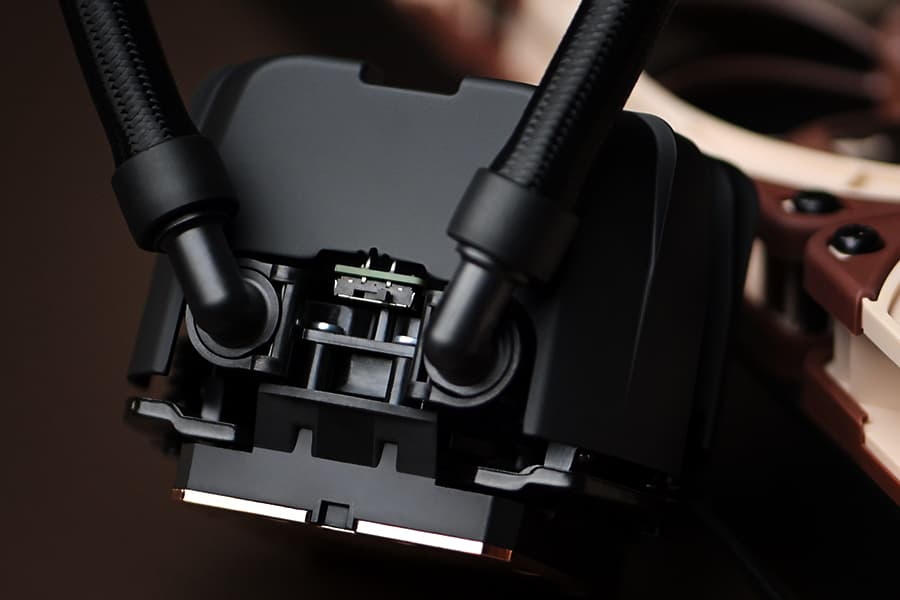
NL-LC1 series AIO coolers’ pump speed profiles explained
The NL-LC1 series’ pump comes with an integrated mode switch that makes it possible to choose between three settings (Quiet, Balanced and Manual).
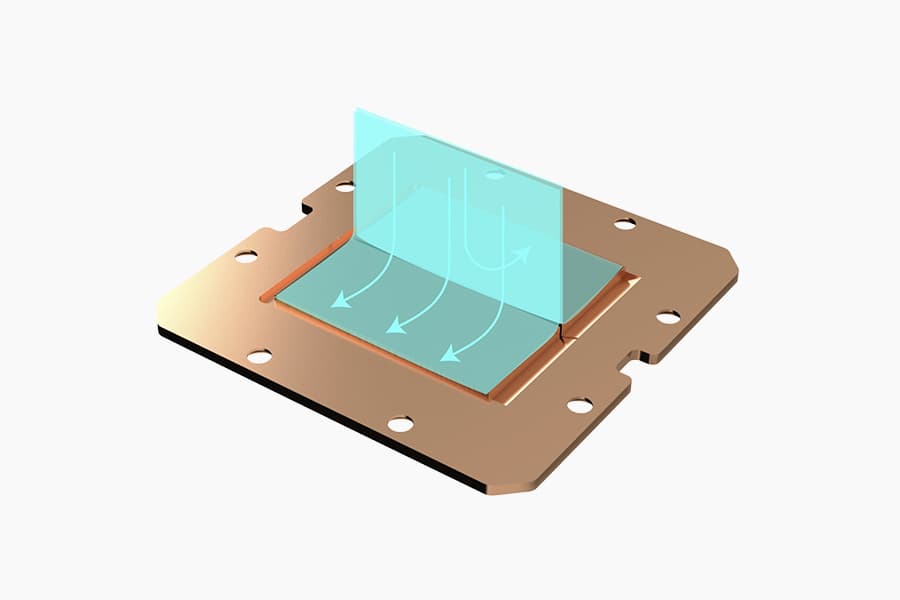
Asetek Emma V2: State-of-the-art closed-loop liquid cooling
The Asetek Emma V2 represents the pinnacle of Asetek's evolution over the last two decades at the forefront of all-in-one liquid cooling.
Which AIO radiator size should I choose – 420, 360 or 240mm?
Which AIO Radiator size is right for you? 360, 240 or 420? Discover which model offers the best possible performance-to-noise efficiency for your setup.
Air cooling or water cooling, which one to choose?
Both air coolers and all-in-one liquid coolers have their respective advantages and disadvantages. We have summed them up for you in this guide to help with your buying decision.
Should I use the NL-ACF1 auxiliary cooling fan?
The NL-ACF1 is an optional auxiliary cooling fan for NL-LC1 liquid coolers that provides extra airflow to near-socket compontents such as VRMs, M.2 SSDs or RAM.
How should I set up my NL-LC1 radiator fans (push, pull or push-pull)?
Whether you've just purchased or are about to purchase our NL-LC1 radiator, you're probably wondering how to position the fans in your build for the best results...
相关问题解答
相关文章
想了解更多关于这个话题的信息吗?请浏览相关文章和资源。
NSPR: Noctua Standardised Performance Rating
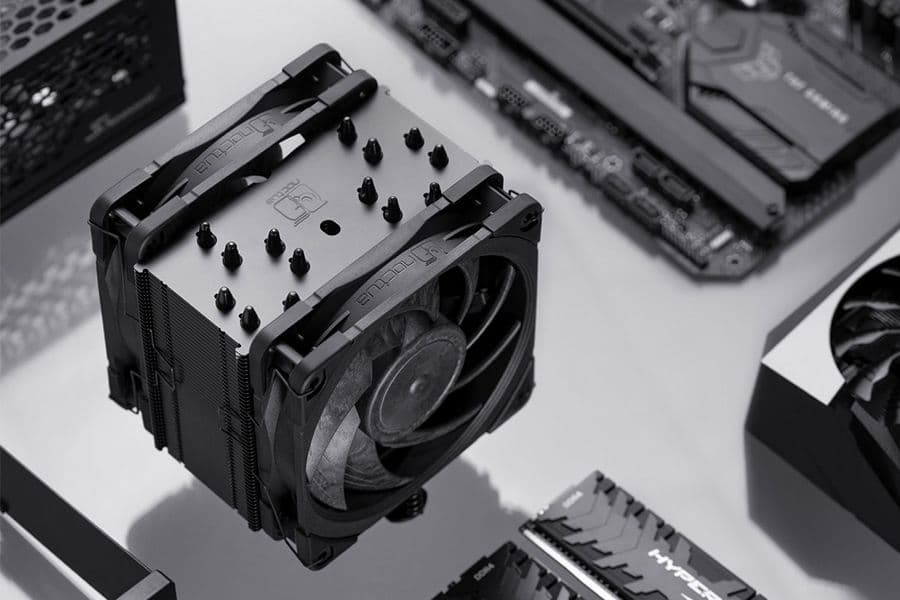
Noctua’s Standardised Performance Rating (NSPR) is a platform-independent classification system that allows customers to compare the efficiency of Noctua CPU coolers at a glance.
Air cooling or water cooling, which one to choose?
Both air coolers and all-in-one liquid coolers have their respective advantages and disadvantages. We have summed them up for you in this guide to help with your buying decision.
The Fractal Design Ridge and the story of “less is more“
26-05-05
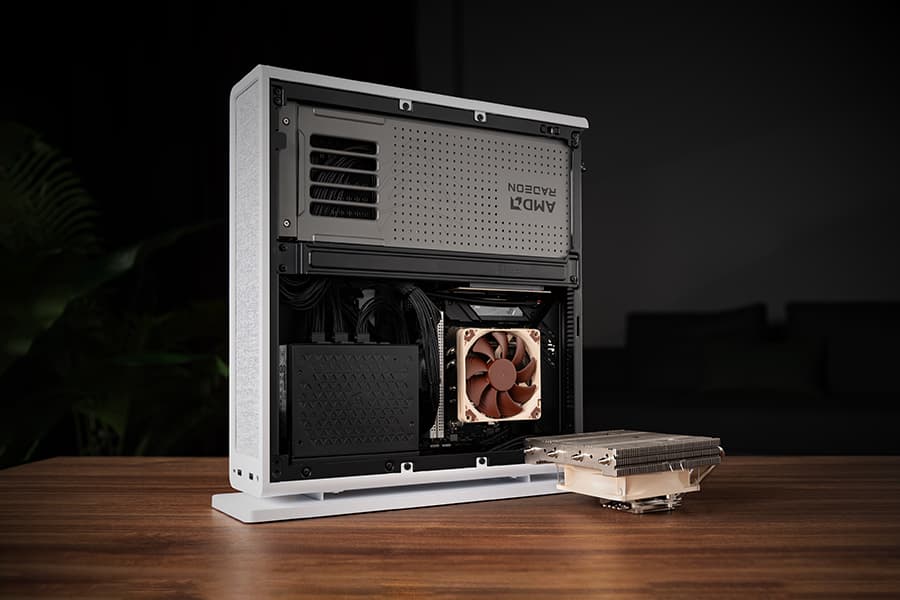
Discover the best Noctua CPU cooler and GPU setup for the Fractal Design Ridge case. See how a custom duct and removing extra case fans unlocks SFF performance.
NL-LC1 series AIO coolers’ pump speed profiles explained
The NL-LC1 series’ pump comes with an integrated mode switch that makes it possible to choose between three settings (Quiet, Balanced and Manual).