


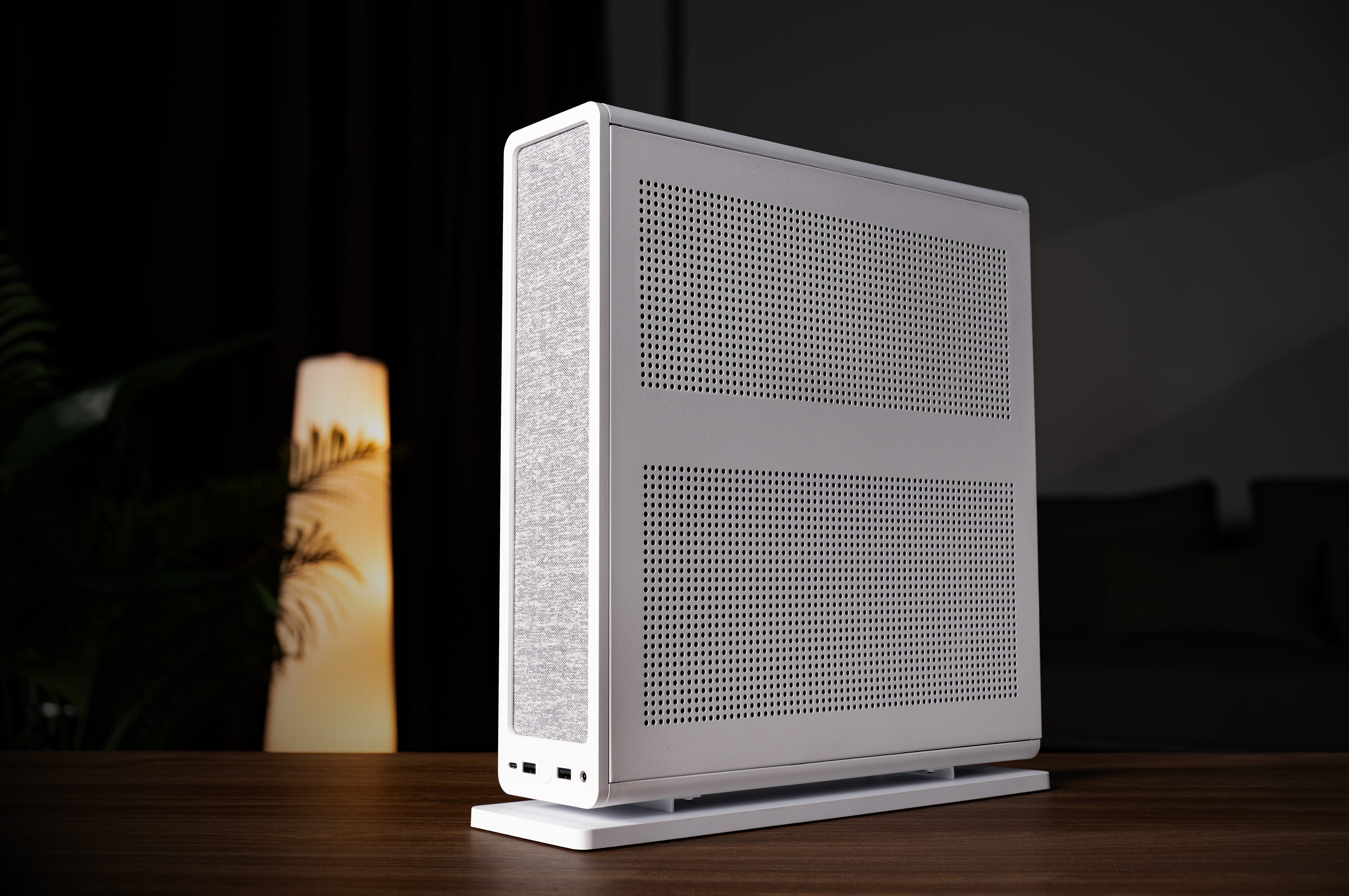
The Fractal Design Ridge mini-ITX case debuted three years ago, and since then, it has garnered a lot of attention and became one of the go-to options for many Small Form Factor (SFF) enthusiasts.
The market has significantly progressed over the years, and what today’s SFF cases offer is truly remarkable. But, it’s only natural that in these small form factors, there are usually some compromises, and you have to be careful when planning a PC and selecting hardware.
One thing that often occurs in Mini-ITX cases is that the GPU ends up sitting right next to some fans, and in some cases, they are nearly touching.
The specific design of the Fractal Design Ridge case comes in a somewhat exotic layout, resulting in a dedicated GPU chamber equipped with two pre-installed 140mm fans that supply air to the graphics card.
In theory, this sounds excellent: more air, lower temperatures, and improved performance. Fantastic! However, we’ll return to this topic later, as our main reason for entering the testing lab was testing CPU coolers.
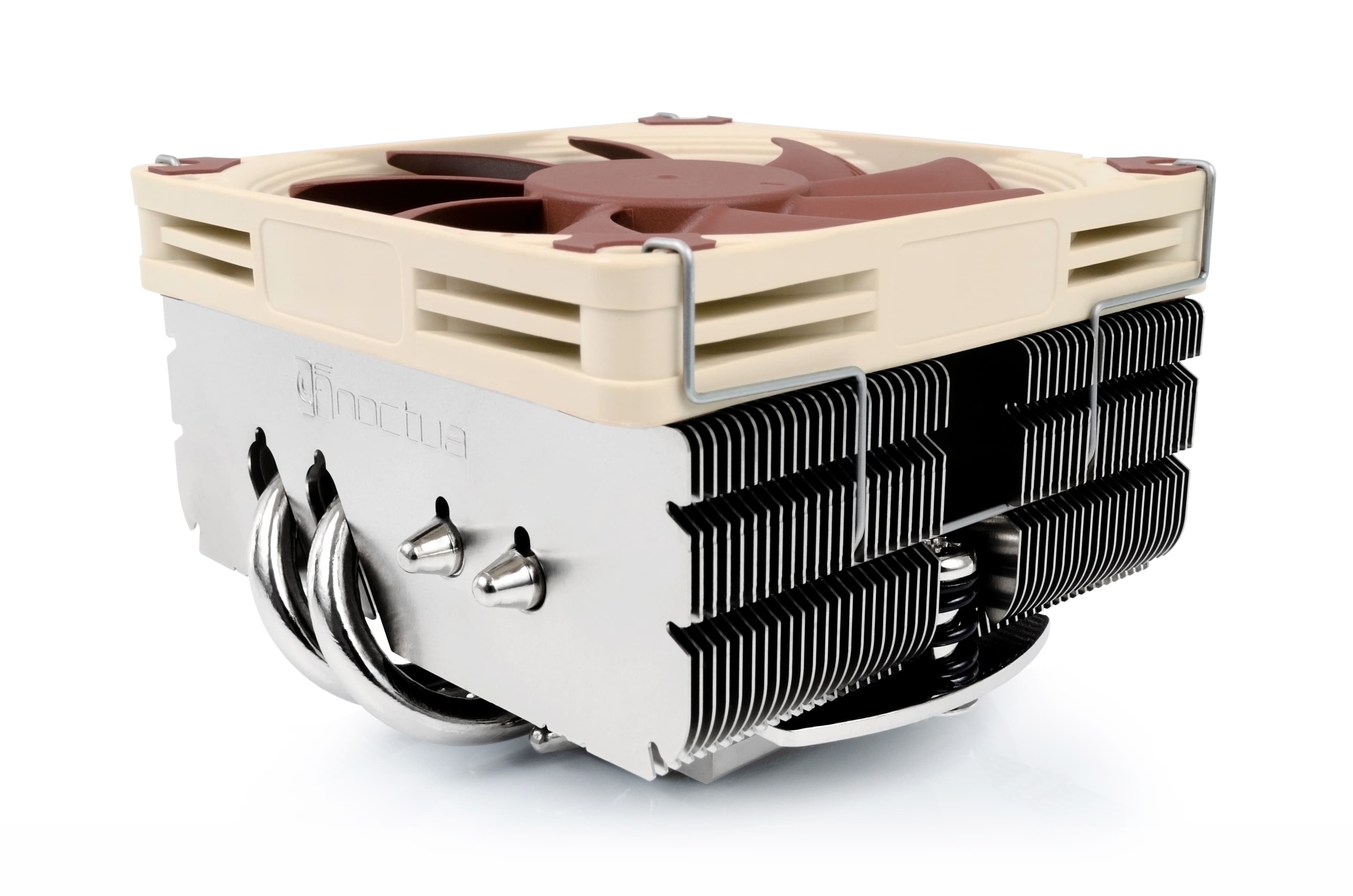
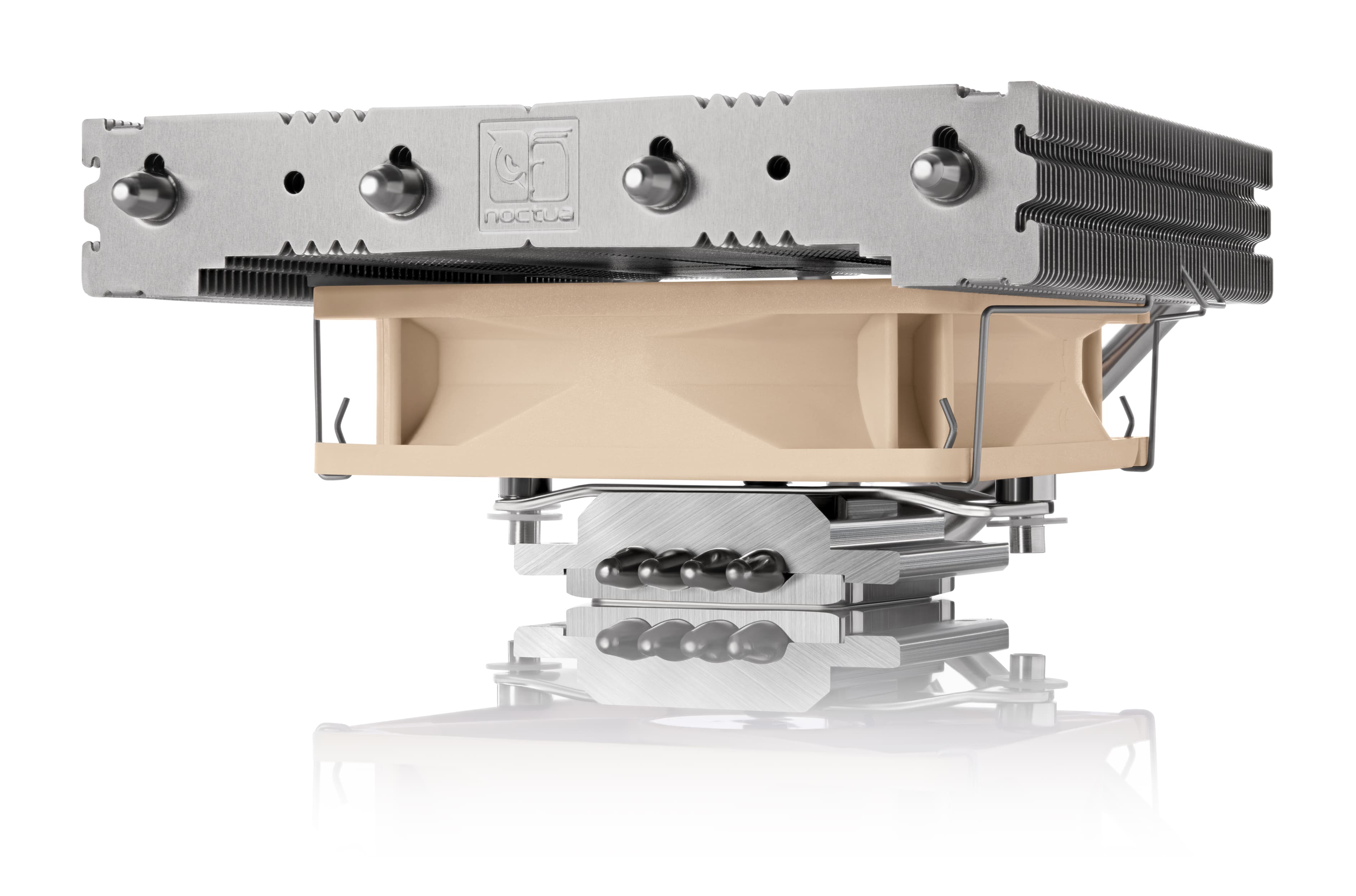
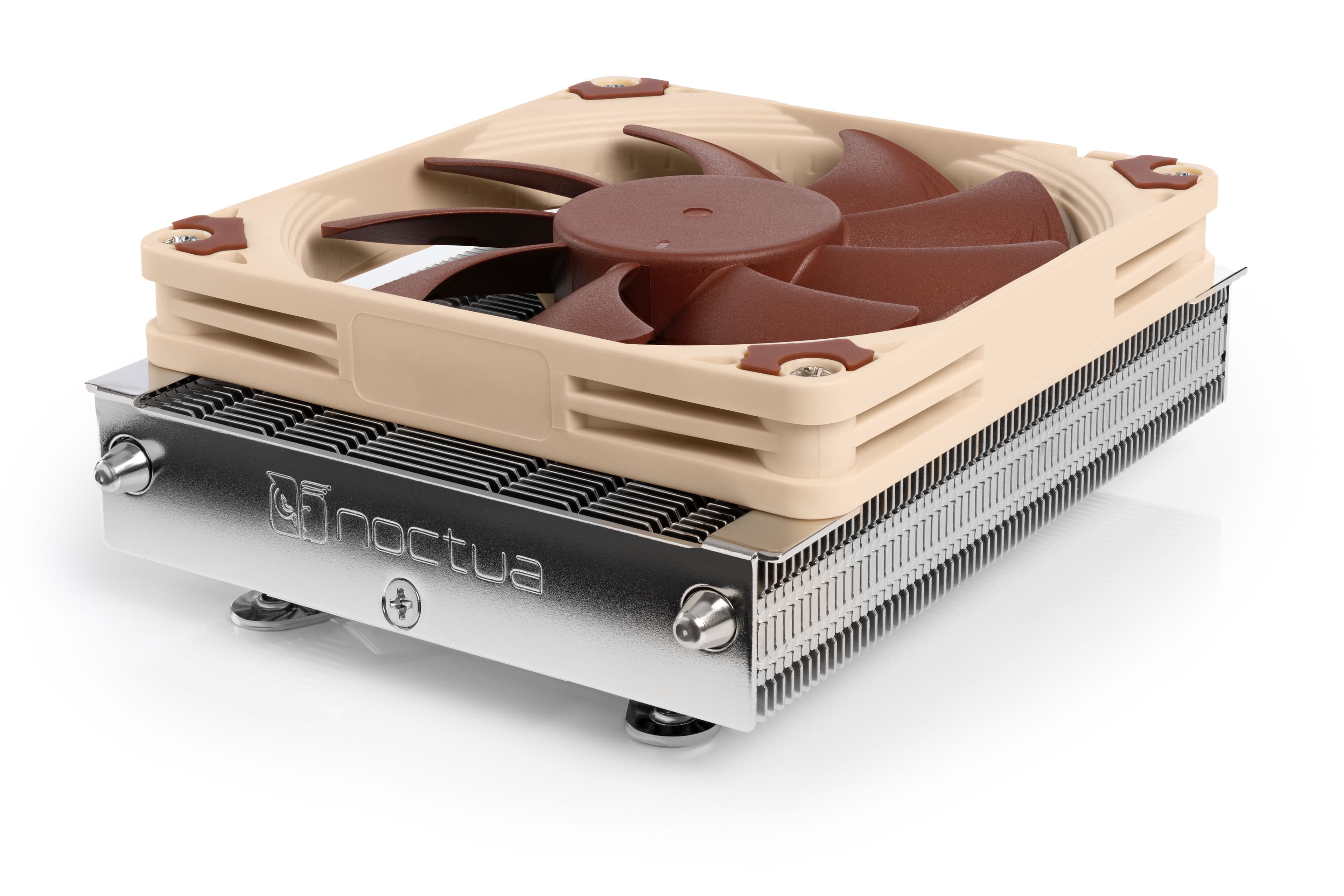
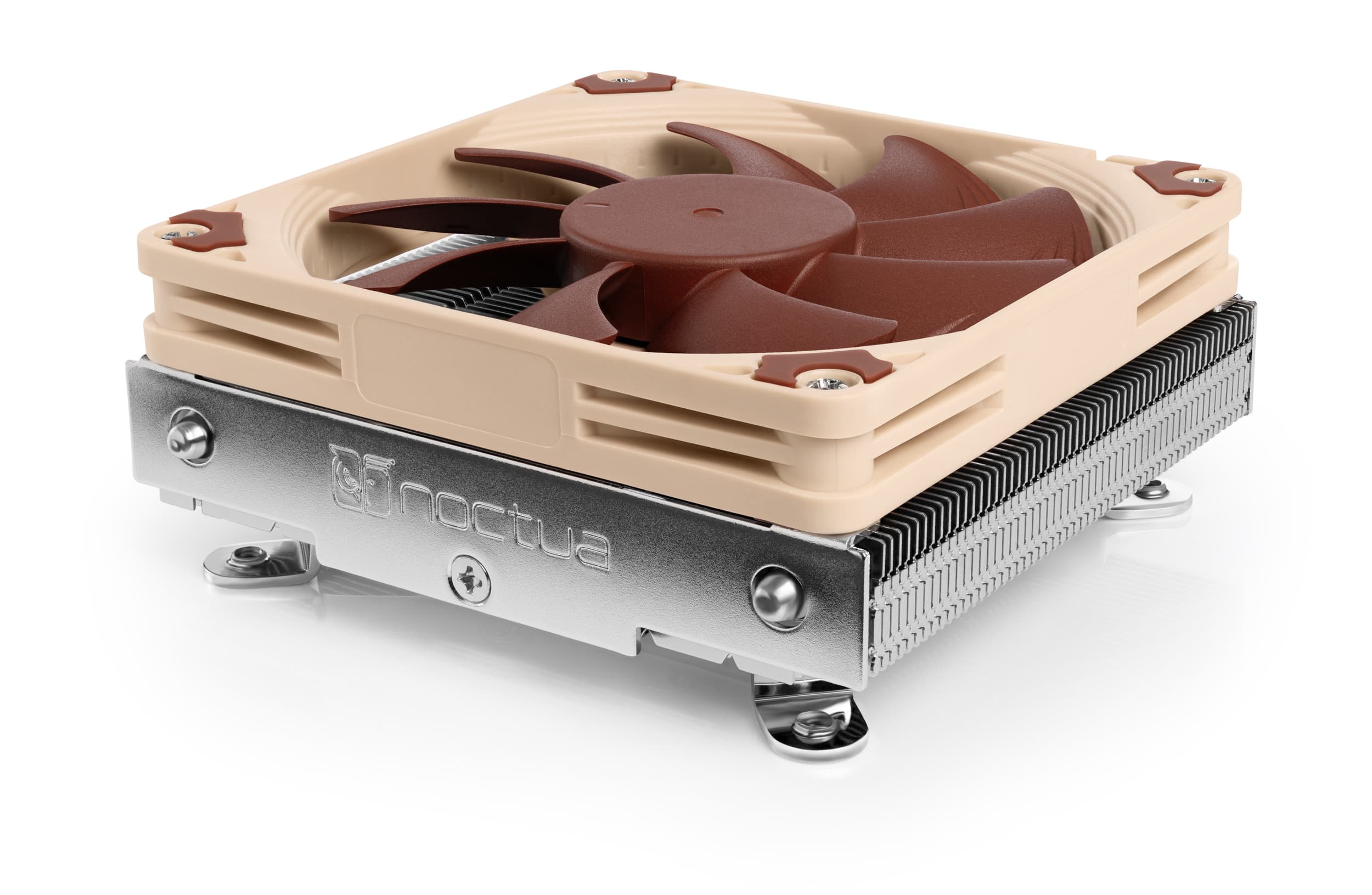
The Ridge can house two of our highly popular low-profile Noctua CPU coolers: the NH-L9x65 and the NH-L12 Ghost S1 Edition. Some readers may wonder about the NH-L12S, and while it is technically compatible, when installed in low-profile mode (with the fan mounted below the fin stack), its limited compatibility on modern Mini-ITX motherboards makes it a less practical choice, which is why we did not include it in this test. Additionally, there are other options like the NH-L9i and NH-L9a series and NH-L9a series, but why choose a smaller cooler if you can fit a bigger one?
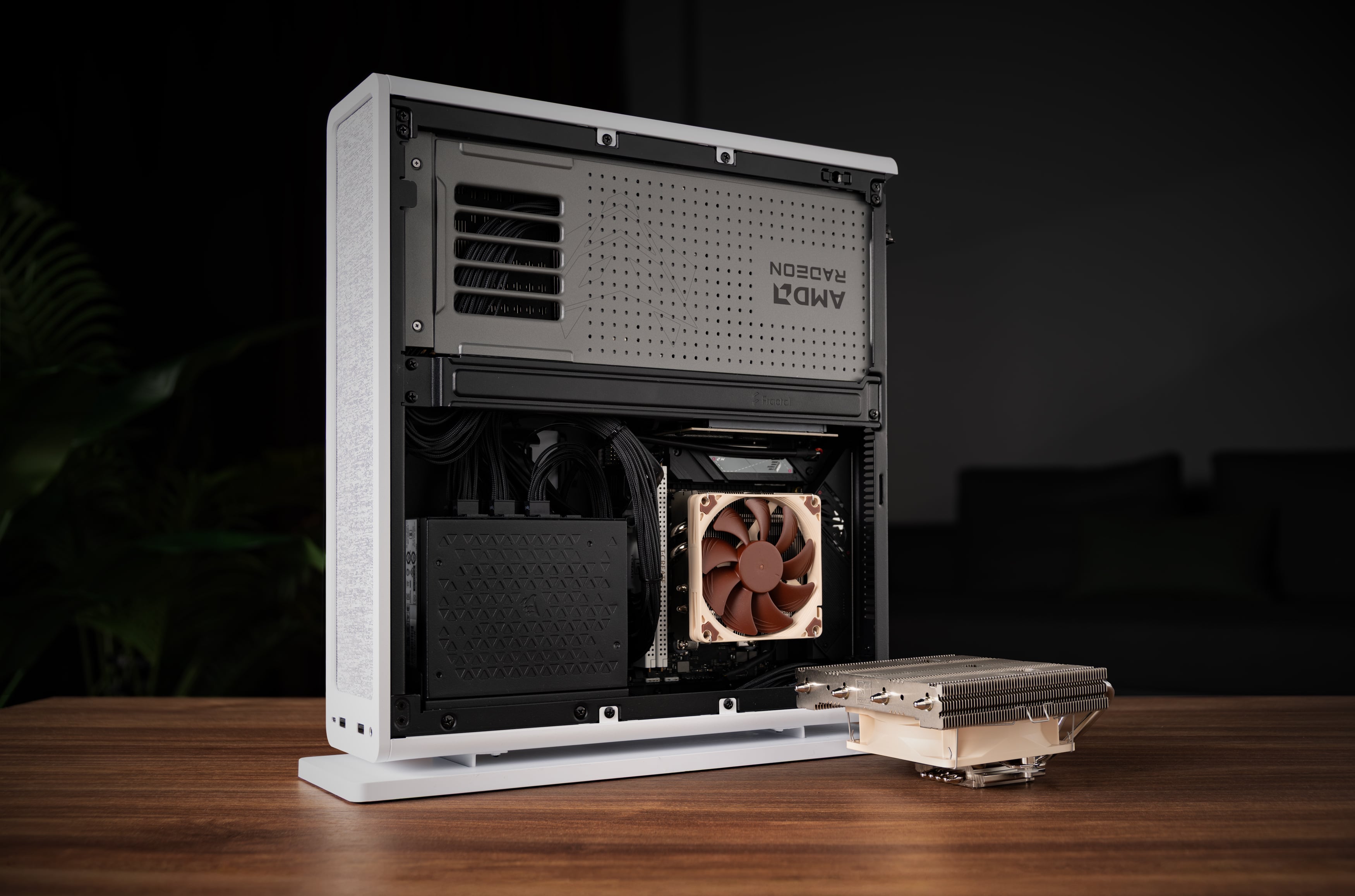
So the “quest of the day” was to find out whether the NH-L9x65 or the NH-L12 Ghost S1 Edition will give more favorable results for CPU temperatures, or rather, performance. With modern CPUs automatically boosting their clock frequencies depending on load and thermal headroom, CPU temperatures don’t always tell the full story, especially in examples of Small Form Factor builds where undervolting is a common practice. For a sensible assessment, we must look at both temperatures and either clock frequencies under a given load or the wattage the CPU is pulling.
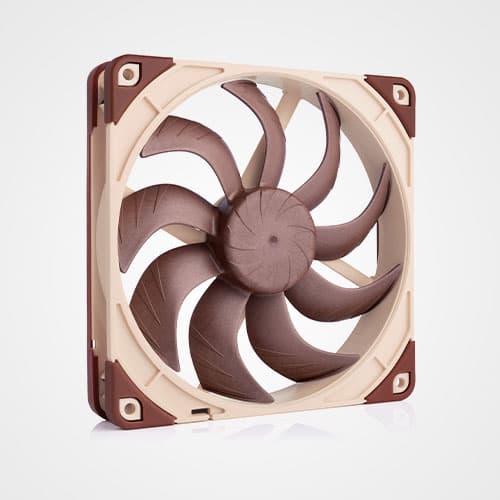
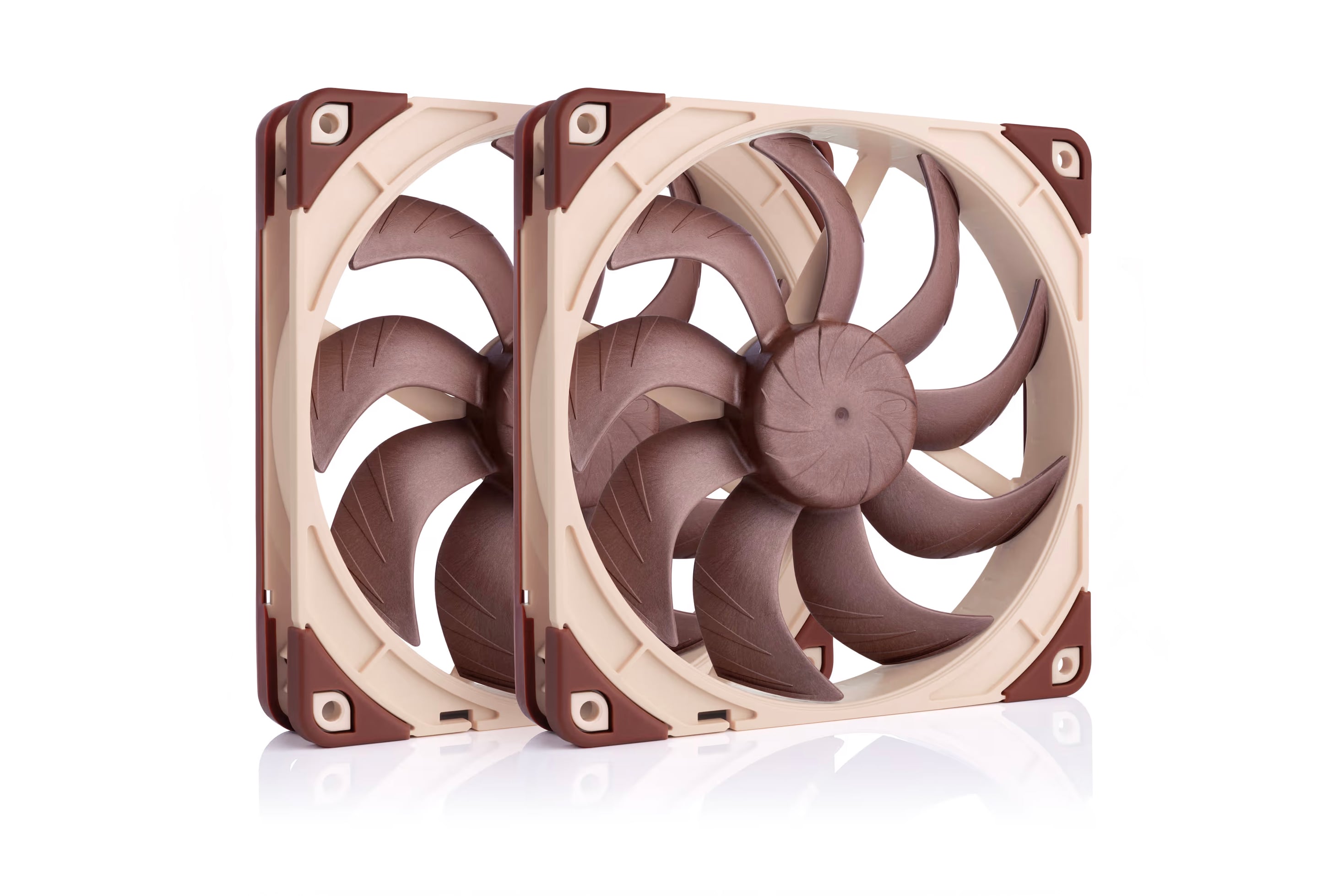
For the thermal testing of these two CPU coolers, we replaced the stock 140mm fans in the GPU chamber with two NF-A14x25 G2 fans to help the GPU reach its full potential.
Thermal performance testing was conducted in a controlled environment with a steady ambient temperature averaging 21.8°C. Our choice of hardware was based on the parts that were most frequently searched for in the compatibility section of our website. We used the popular AMD Ryzen 7 9800X3D CPU paired with an Asus ROG Strix B650E-I Gaming WIFI motherboard, a Corsair SF1000 SFX power supply, and an ASUS Prime RX 9070 XT OC GPU.
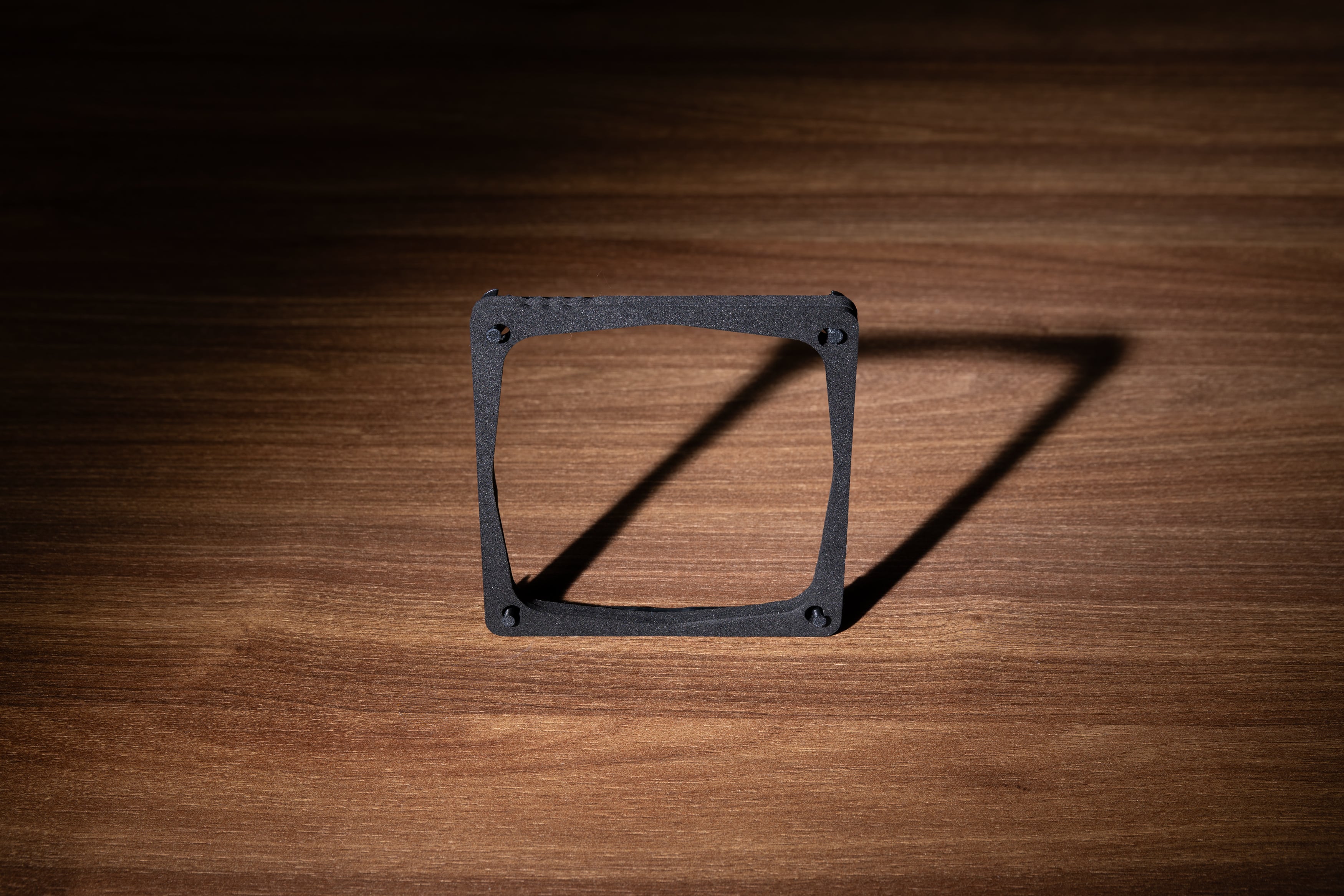
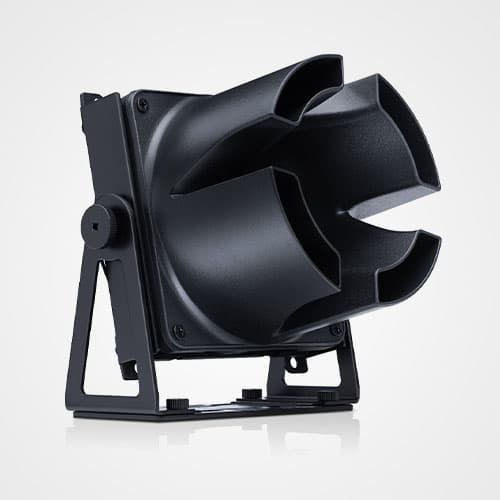
Stress testing was performed using OCCT with a combined CPU and GPU load for one hour per scenario, with each run including a 30-minute warm-up cycle. In addition to the standard cooler configurations, we also tested the NH-L9x65 with a custom made fan duct.
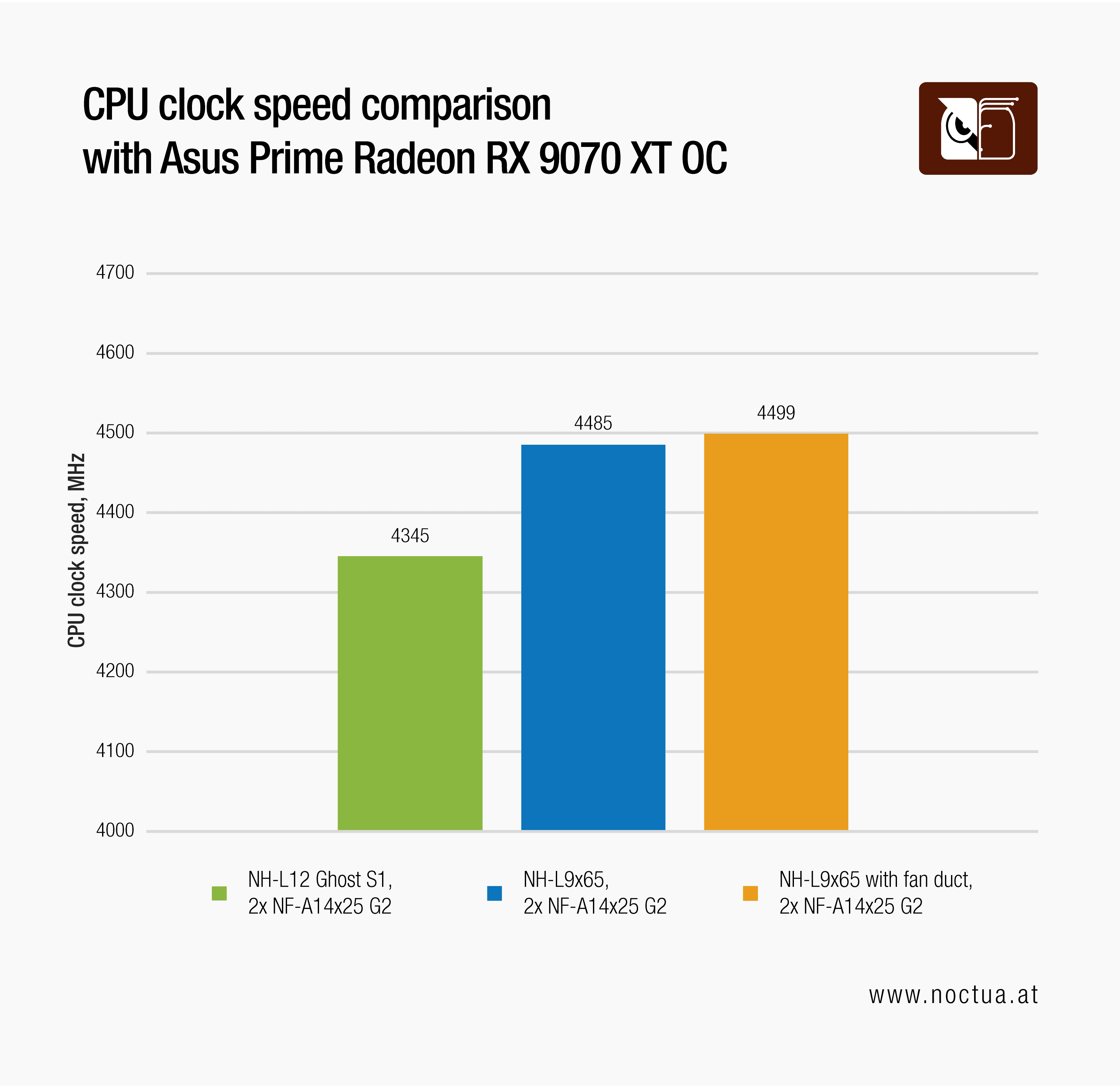
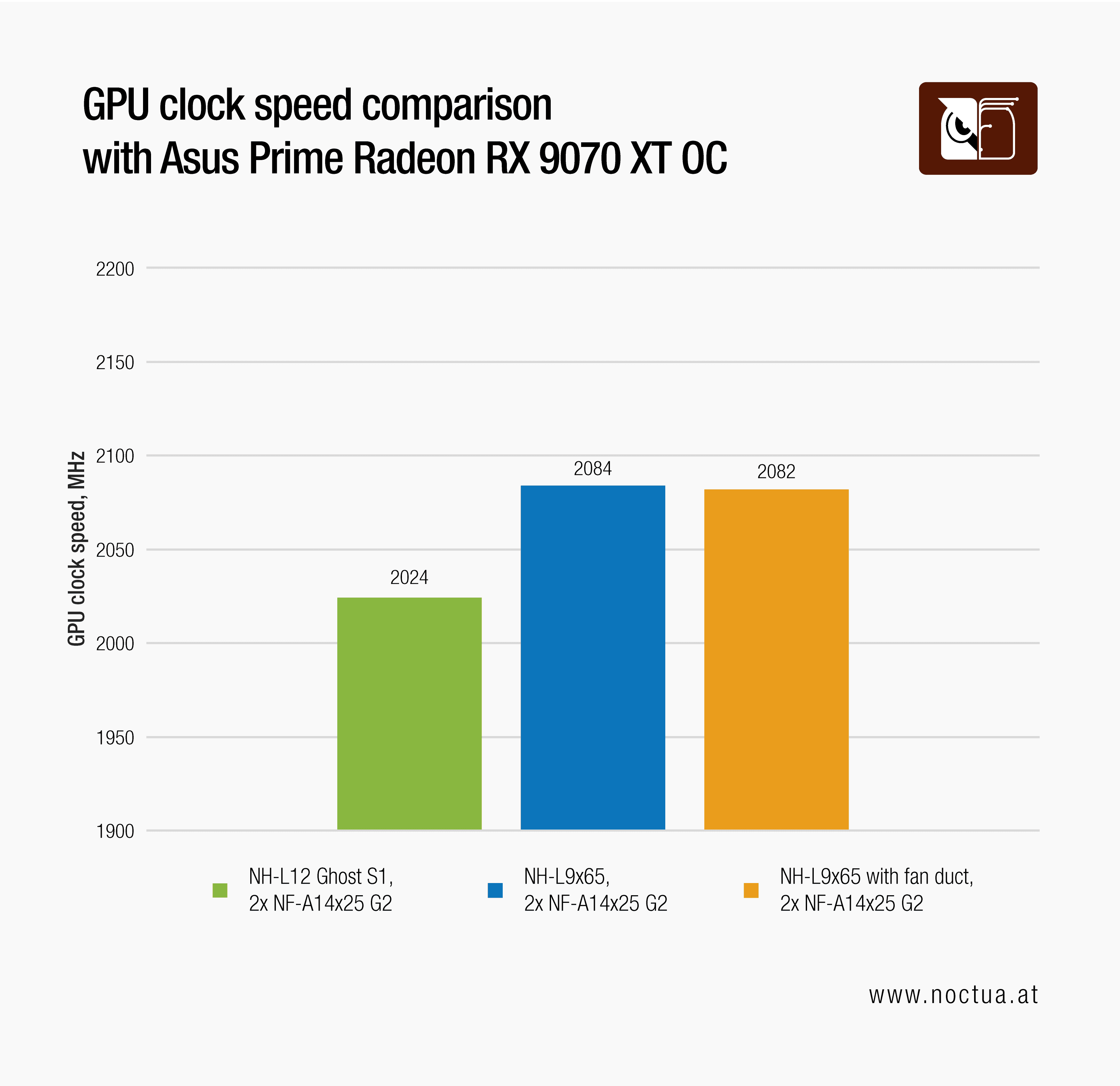
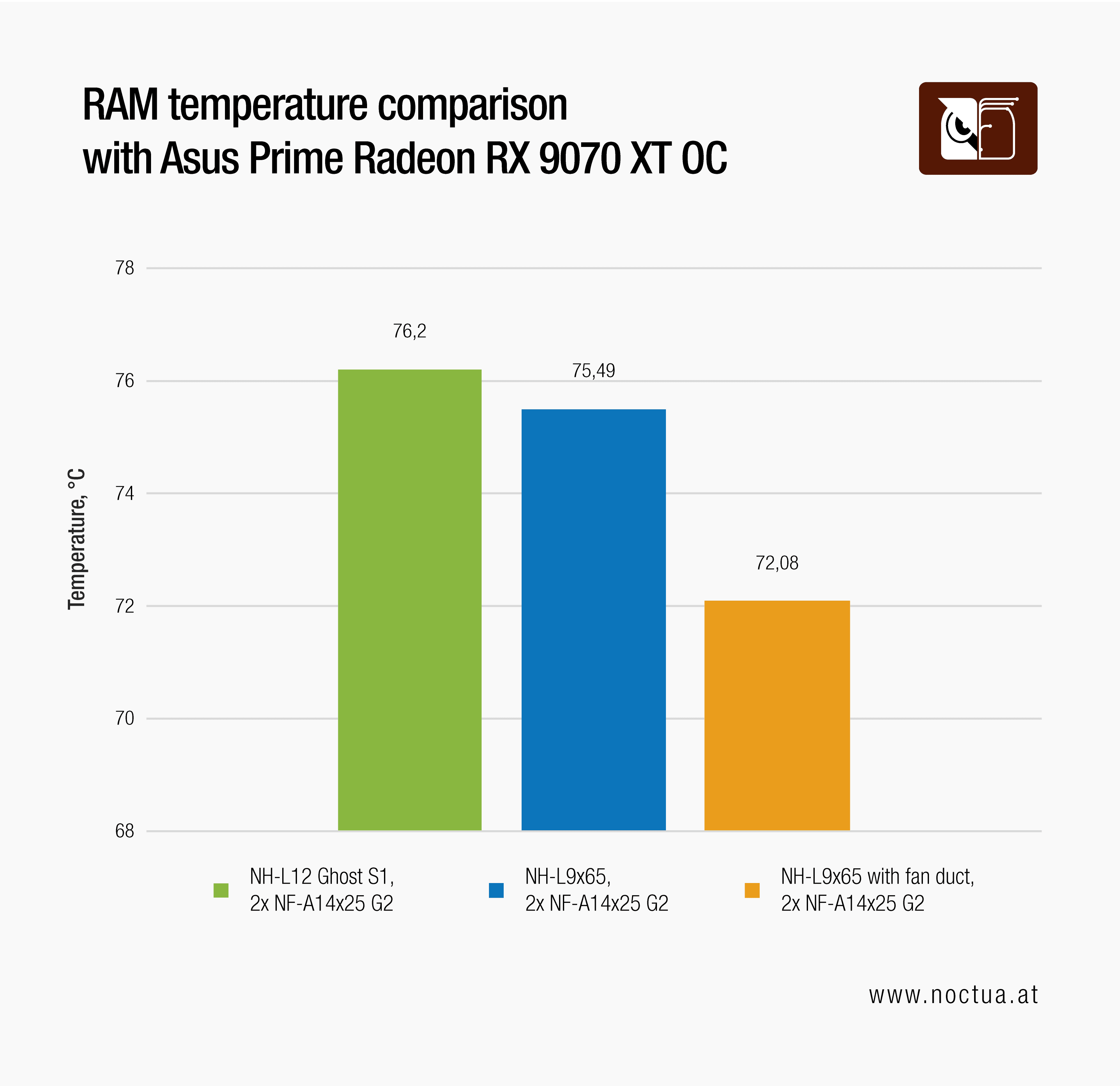
Surprisingly, the initial results showed that the “smaller” NH-L9x65 performed better. While CPU package temperatures hit the 95°C thermal limit in all three scenarios, the NH-L9x65 equipped with the 3D-printed fan duct allowed the CPU to sustain the highest boost clocks. This setup also had a positive impact on RAM temperatures, and RAM is precious these days.
It is worth mentioning that the NF-A14x25 G2 140mm fans were running at a constant speed of 1400 RPM for all the performance testing to ensure consistency and a direct correlation of the results to the changes in the CPU cooler configuration. The graph below shows how these three test scenarios compare to each other acoustically, with noise measurements taken from the front of the case at 25%, 50%, 75%, and 100% PWM.
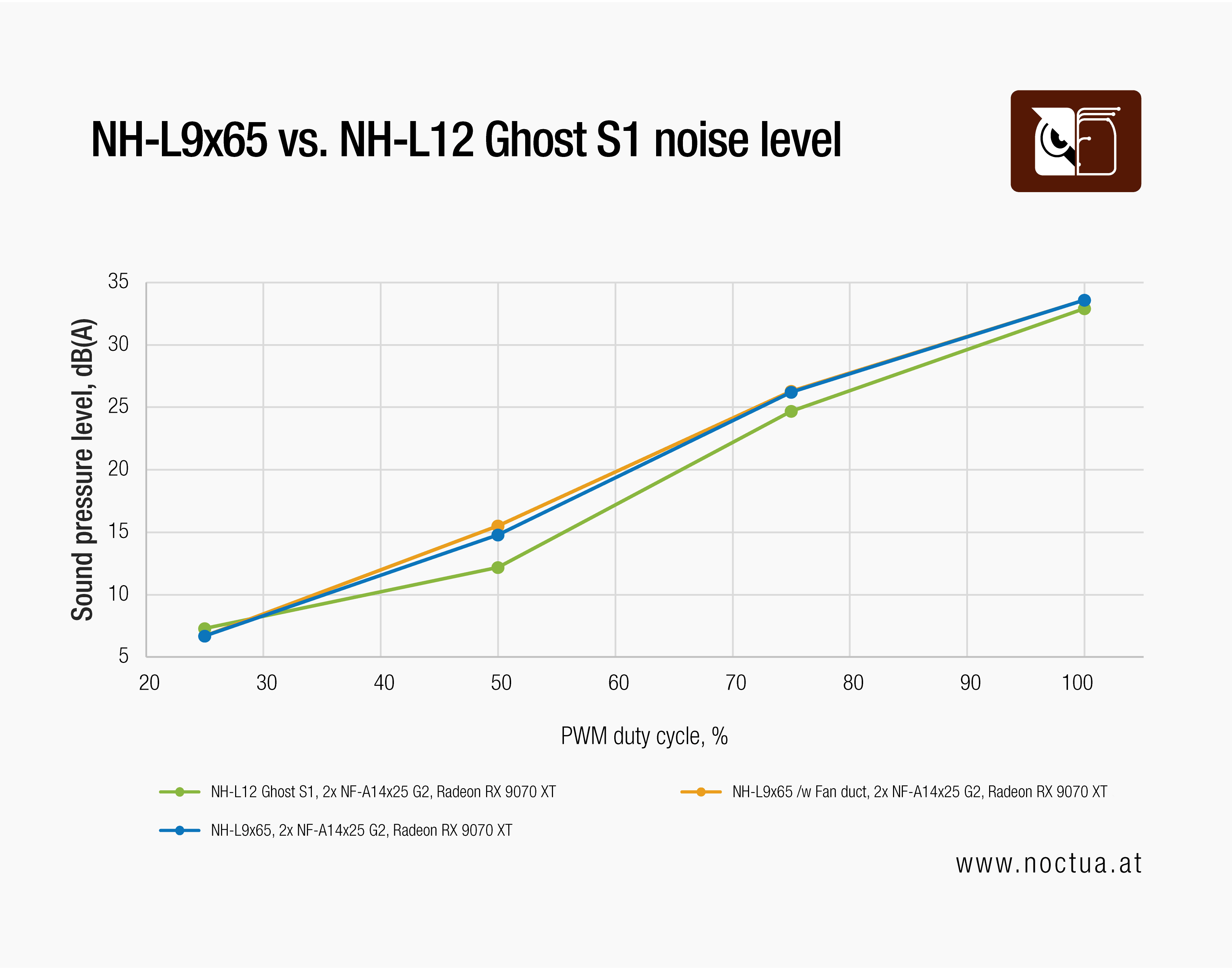
It is true that in this test scenario, the NH-L12 Ghost S1 Edition ran the quietest, but only by a small margin. Considering the different maximum fan speeds and rated noise outputs of these two coolers, it was suspicious that all three test scenarios performed similarly in terms of noise.
This anomaly sent us down a „rabbit hole“ of additional testing, which ultimately led us to replace the combination of the 2.5-slot Asus Prime RX 9070 XT OC GPU and the 140mm fans in the GPU chamber with a version of the same GPU that has a bigger heatsink.
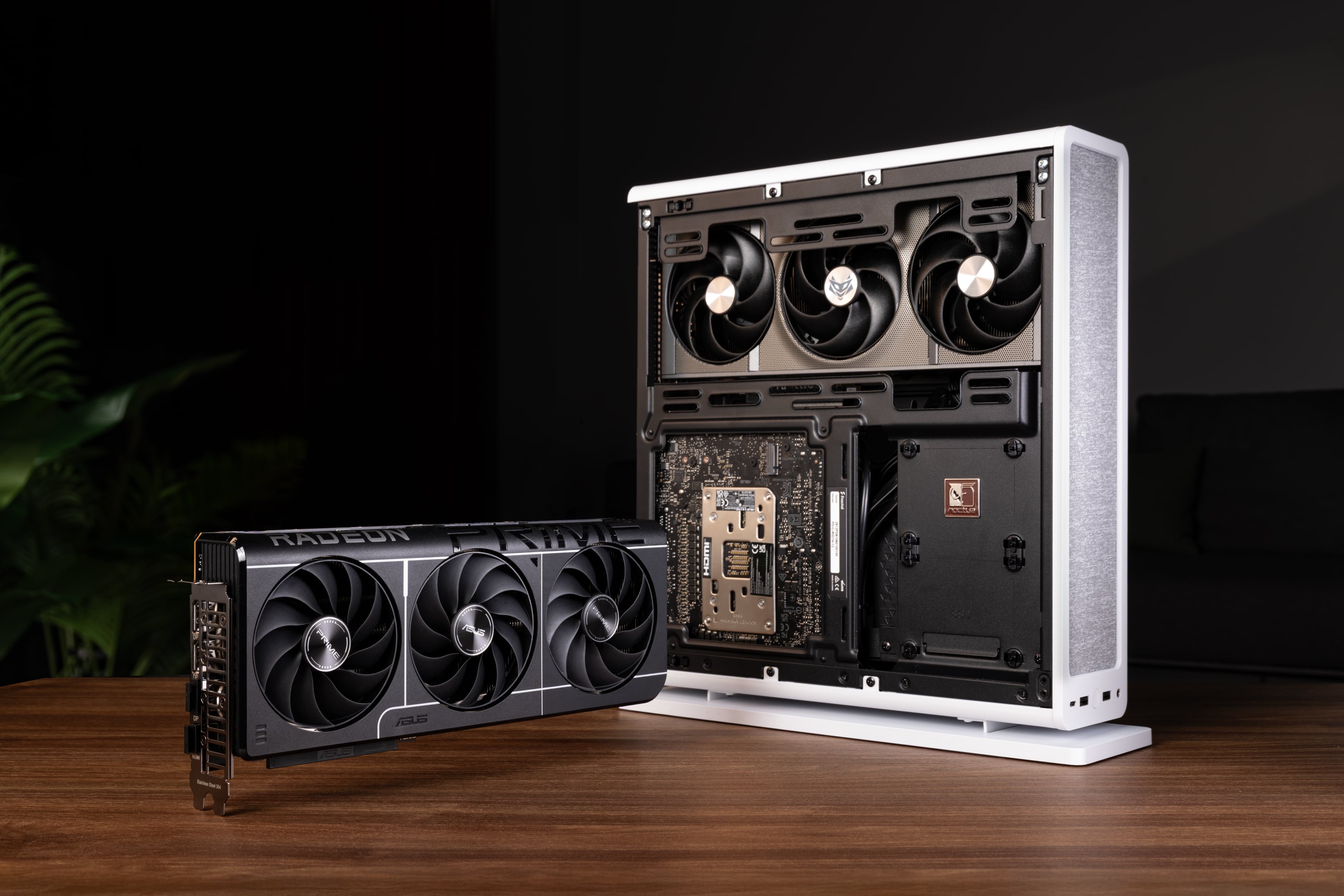
We opted for the Sapphire Nitro+ Radeon RX 9070 XT Gaming OC as a test candidate. It is also a triple-fan GPU, which allowed us to stay on the same GPU chip and compare results. The Nitro+ is a 65mm thick GPU, considered a 3.25-slot design.
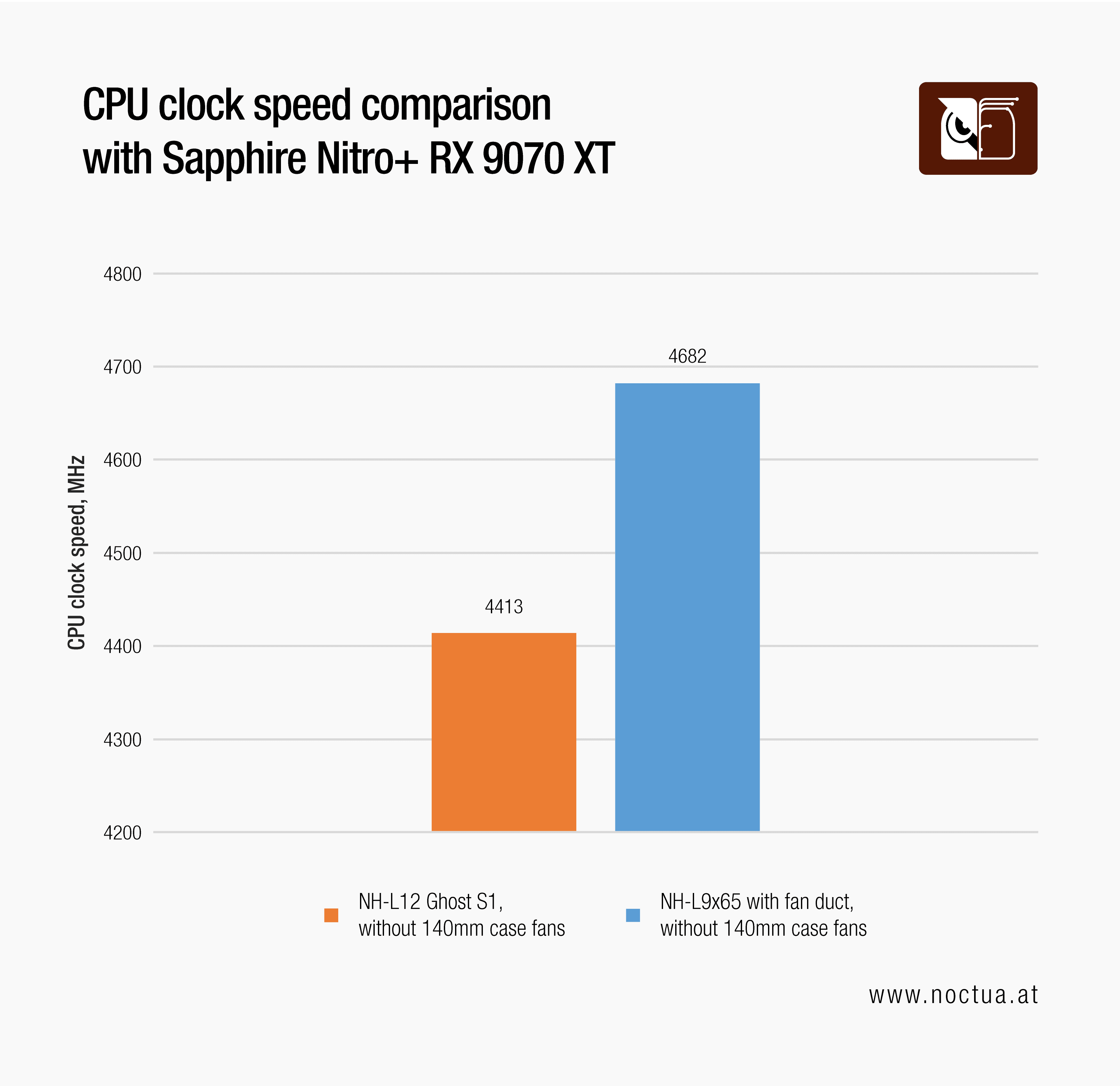
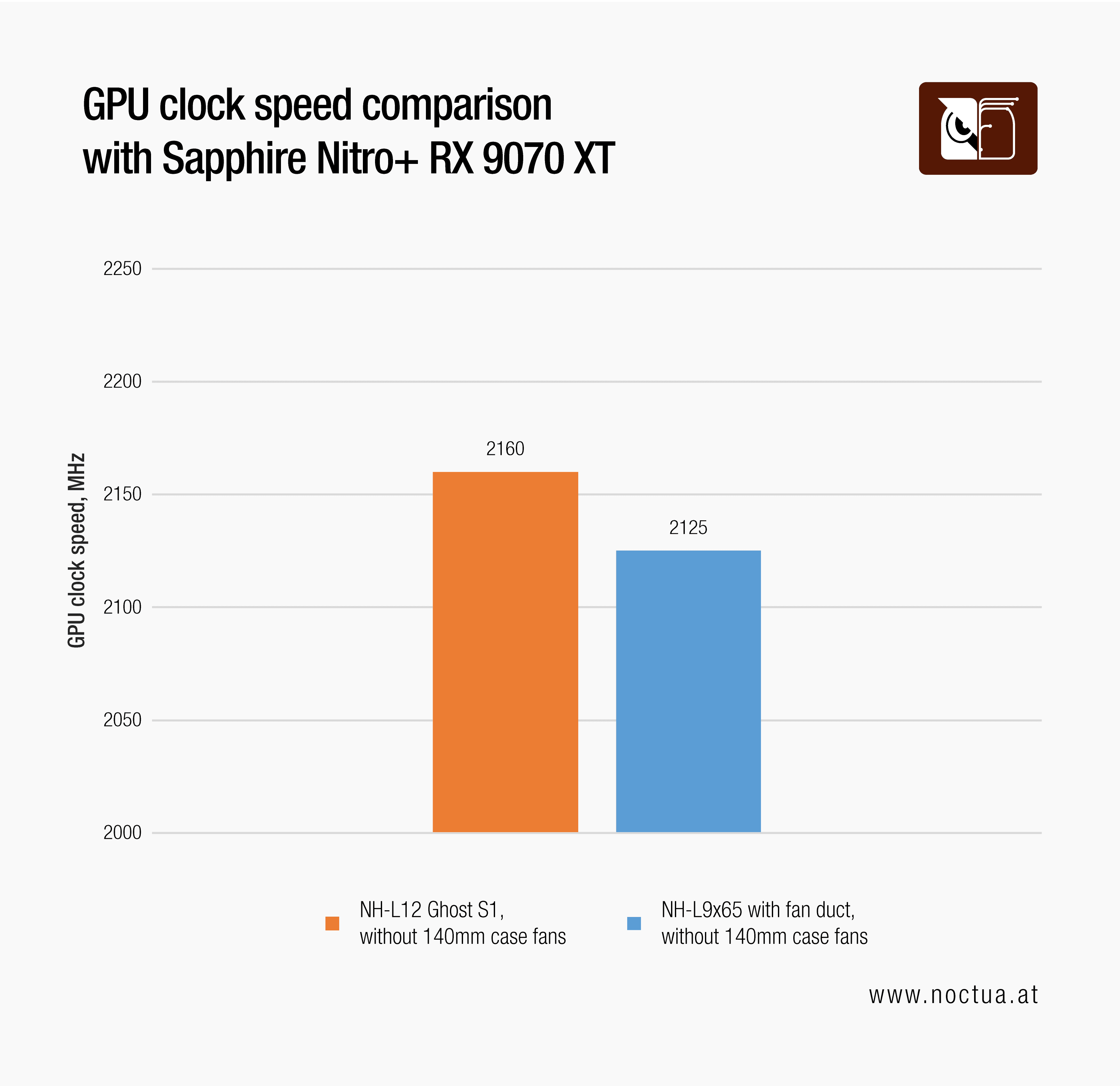
Interestingly, in the updated setup with the Sapphire Nitro+ RX 9070 XT and the 140mm fans removed, we reached higher CPU clocks with both cooler models. But while the NH-L12 Ghost S1 Edition only achieved a slight improvement at 4.4 GHz and 97W, the CPU maxed out at almost 4.7 GHz and 111W package power using the NH-L9x65 – a significantly better result.
At this point, we saw that the GPU had more headroom, so we fiddled around with the power target. By maxing out the power target on the Sapphire Nitro+ to 455W, the CPU performance took a 300 MHz hit because of the extra heat that was dumped into the system by the GPU.
.png&w=3840&q=85)
.png&w=3840&q=85)
Nevertheless, the real and overall performance gains came from the GPU with a significant boost clock uplift from below 2100 MHz with the Asus Prime RX 9070 XT OC GPU in combination with the 140mm fans to over 2650 MHz with the Sapphire Nitro+ RX 9070 XT without the 140mm fans.
If we take a look at the noise chart for all five tested setups, the benefits will be even more evident.
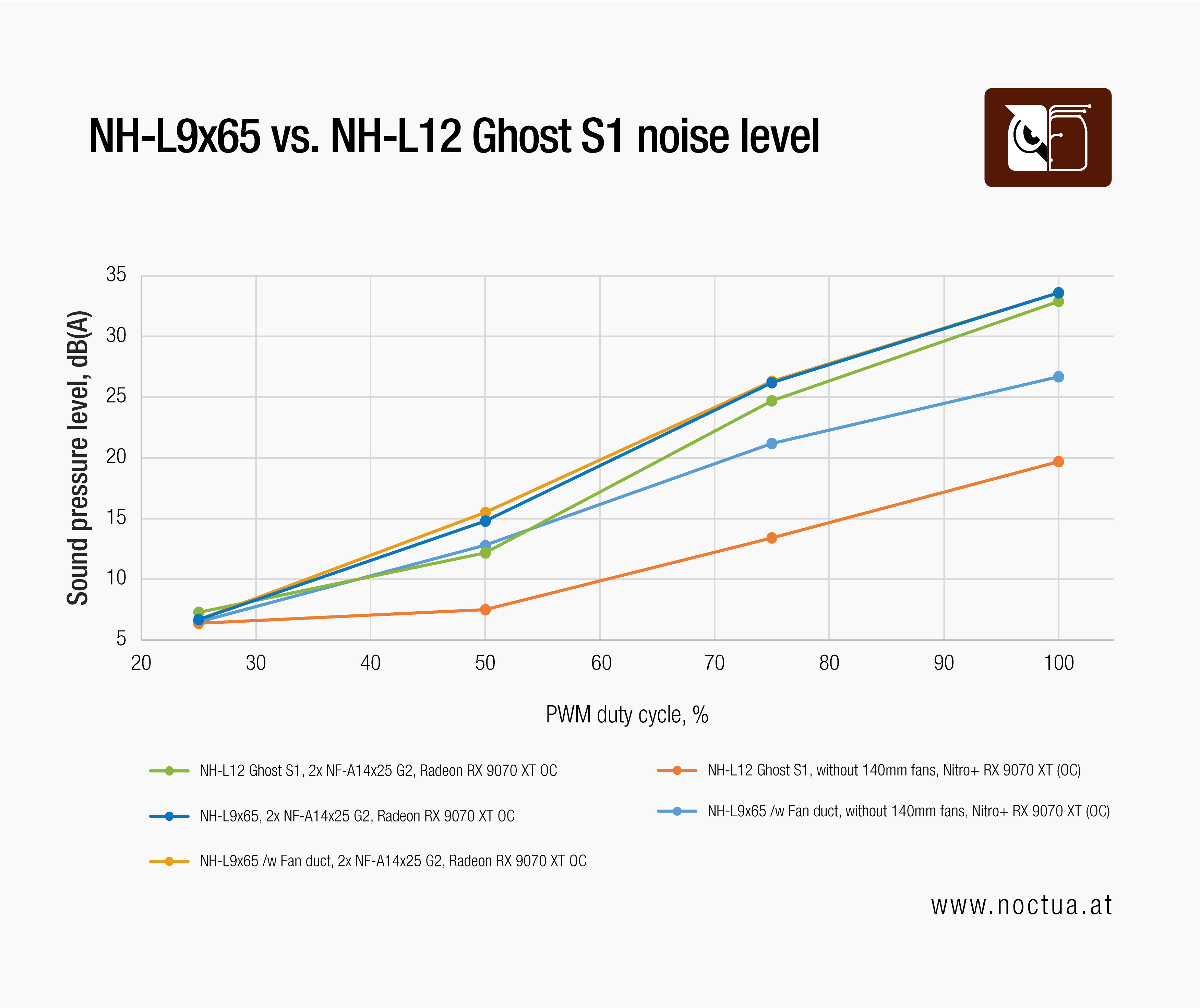
Even at their maximum speed, the two NF-A14x25 G2 fans should normally not have this much acoustic impact. Therefore, the noise issue actually boils down to the turbulence generated in the GPU chamber. It could be due to how close the fans are to the perforated side panel or the GPU, or a combination of both.
Regarding case side panels, we have an extensive article on this topic, and the issue can usually be improved with inlet spacers like the NA-IS1. However, in the Fractal Design Ridge there is not enough room to mount standard 25mm thick 140mm fans and inlet spacers without compromising high-end GPU compatibility.
In the test scenarios where we replaced the additional 140mm fans with a bigger GPU, the majority of the noise went away. This finally revealed how the two tested CPU coolers truly compare in terms of performance-to-noise ratio.
Let’s sum up the data and a few conclusions in the following table:
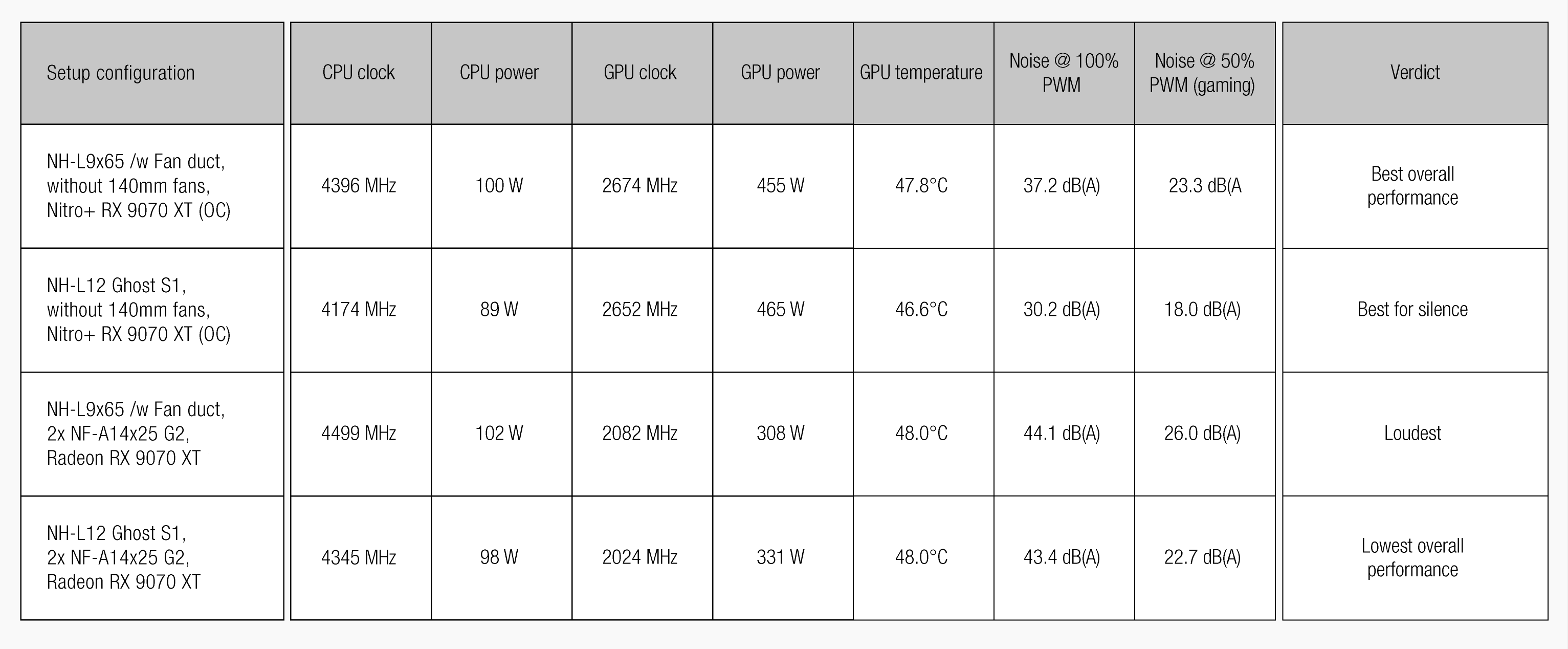
The table above shows the maximum achieved CPU and GPU clock speeds in the given test setup, along with CPU and GPU power draw, GPU core temperatures, and maximum noise output. Since it might be difficult to grasp and formulate a conclusion from all the data, the table also contains a short verdict, so it’s much easier to navigate the results.
We did not focus heavily on CPU temperatures, as the processor hit its thermal limit in every test scenario. With modern CPUs, however, this is not a problem, since they are designed to fully utilise their thermal headroom by boosting their clock speeds. This highlights an inevitable reality, by placing high-power components inside a small Mini-ITX system will naturally result in thermal saturation, as the AMD Ryzen 7 9800X3D pushes to exploit every bit of available performance.
Despite these constraints, we successfully demonstrated the benefits of the NH-L9x65 combined with our custom 3D-printed fan duct.
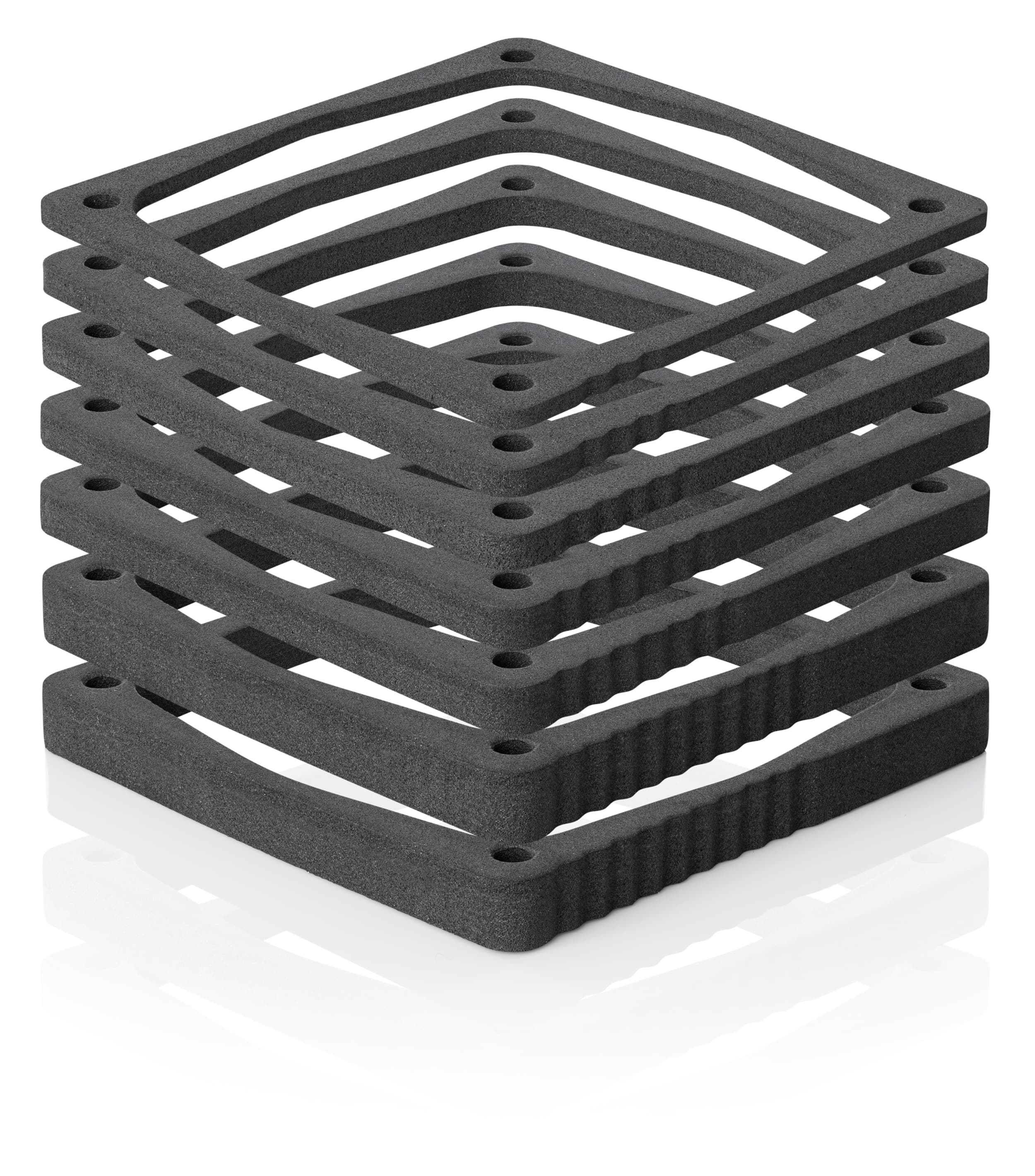
The fan duct that we used in testing consists of a 3D-printed frame that clips onto the fan, paired with one 3mm and one 5mm EVA foam spacer from the NA-FD1 fan duct set. For those interested in trying this modification in the Fractal Design Ridge case, the CAD model for the 3D-printed frame is available HERE.
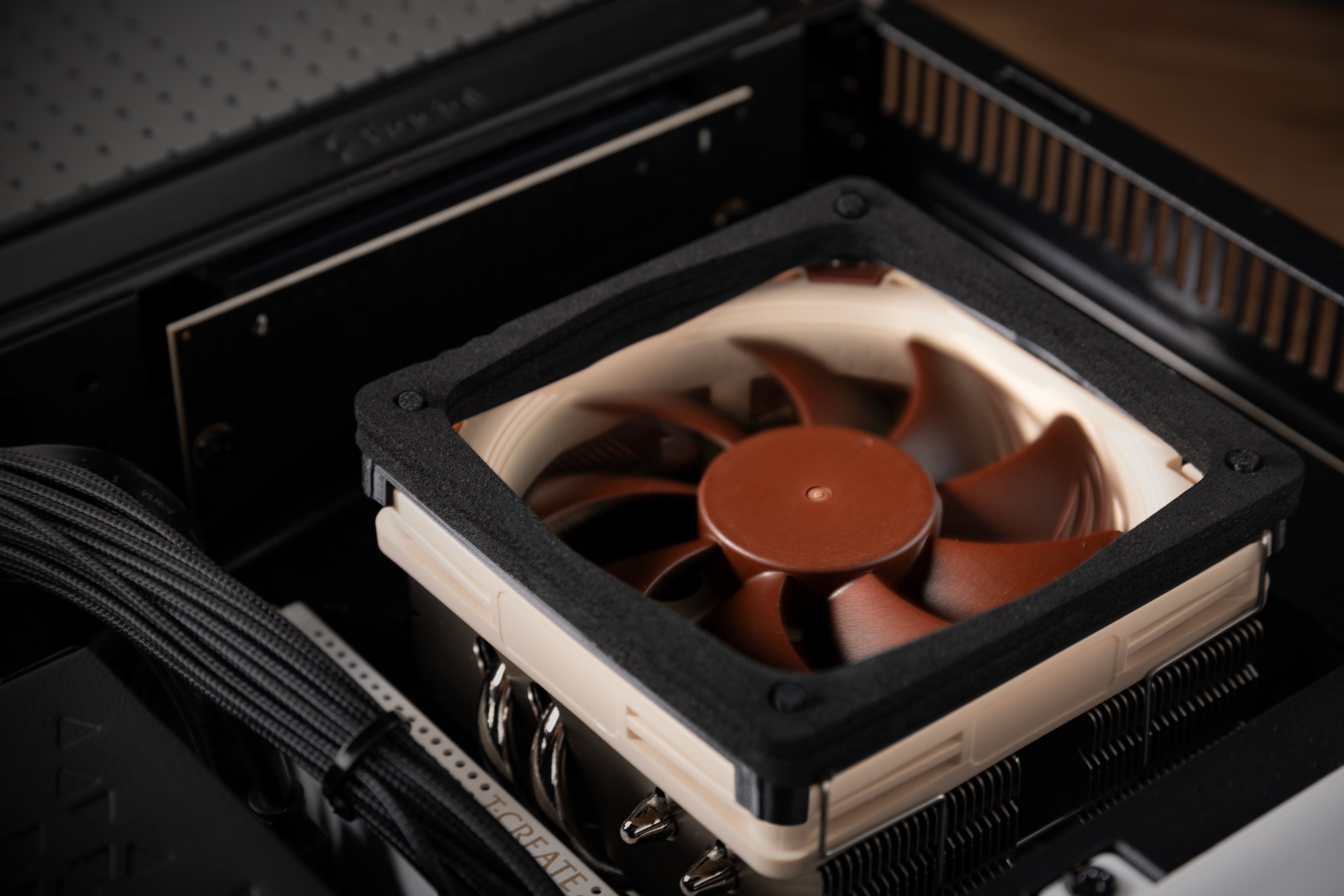
Considering all factors, the ultimate takeaway from this testing is that sometimes „less is more“. We found that adding extra fans wasn’t beneficial, in fact, excluding the 140mm fans from the GPU chamber vastly improved the build’s acoustic footprint. Instead of cramming in more fans, the best overall performance came from a simpler approach, by using a GPU with a more robust built-in cooling and pairing a smaller CPU cooler with a 3D-printed duct to ensure adequate fresh air intake. In the end, we must remain mindful that these test results are heavily tied to the Fractal Design Ridge Mini-ITX case, so there is no guarantee that they can be replicated in other small form factor cases.
Mentioned products
Explore the products featured in this article.
NA-FD1
NH-L9x65
NH-L12 Ghost S1 Edition
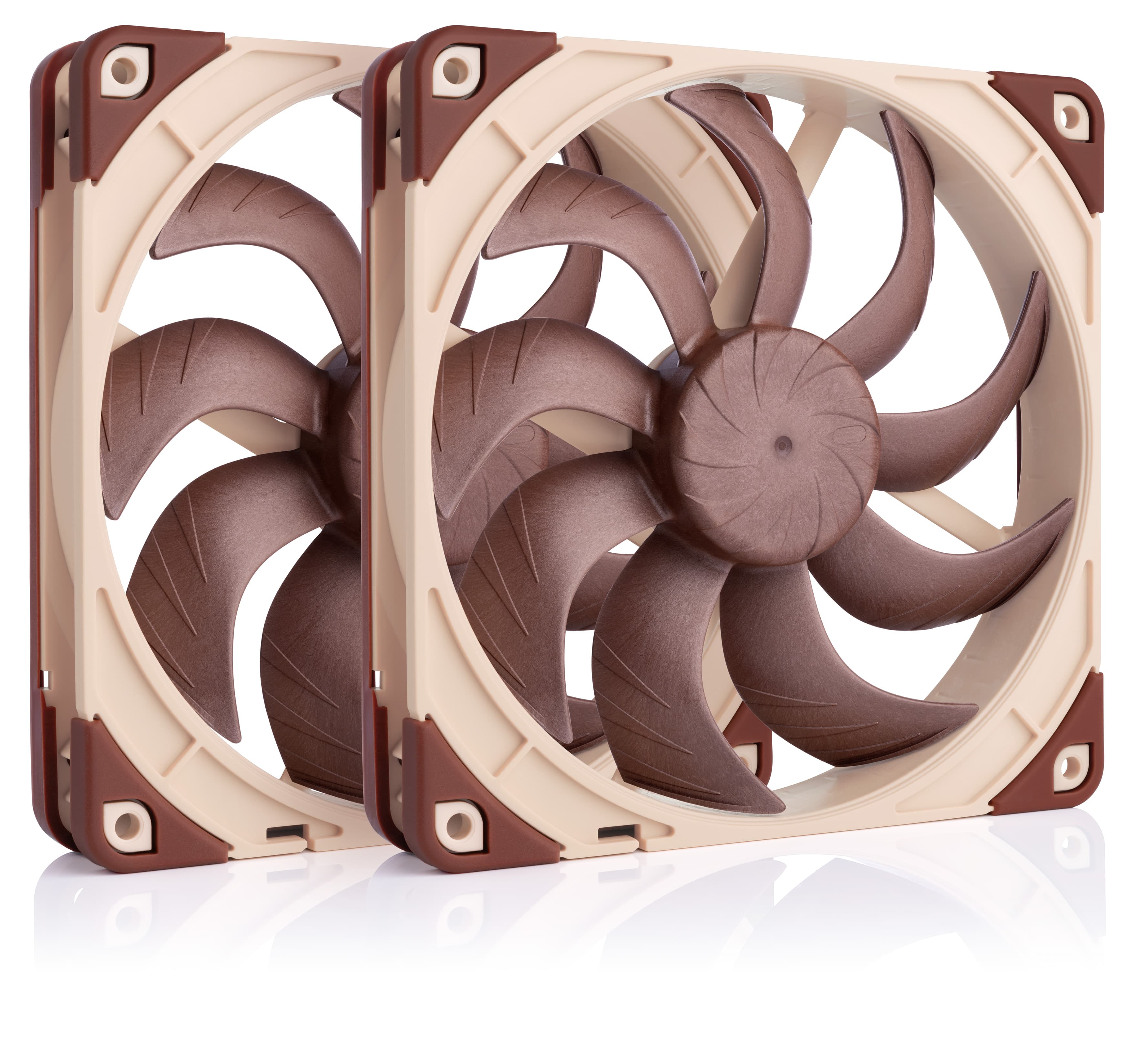
NF-A14x25 G2 PWM Sx2-PP
NH-L9a-AM5
NH-L9i-17xx
NA-IS1-14 Sx2
Related articles
Want to know more on this topic? Explore relevant articles and resources.
NSPR: Noctua Standardised Performance Rating
Noctua’s Standardised Performance Rating (NSPR) is a platform-independent classification system that allows customers to compare the efficiency of Noctua CPU coolers at a glance.
Air cooling or water cooling, which one to choose?
Both air coolers and all-in-one liquid coolers have their respective advantages and disadvantages. We have summed them up for you in this guide to help with your buying decision.
Where should I install my AIO radiator (top vs. front/side)?
Many modern tower-style PC cases allow liquid coolers to be installed in more than one position (top, front or side of the case). This article explains their pro's and con's.
NL-LC1 series AIO coolers’ pump speed profiles explained
The NL-LC1 series’ pump comes with an integrated mode switch that makes it possible to choose between three settings (Quiet, Balanced and Manual).